Vertiv / Precision air conditioning

Liebert DataMate3000 DME12 Equipment information & support

The Vertiv Liebert DataMate3000 DME12 is an enterprise-grade 12.5 kW direct-expansion (DX) air-cooled precision environmental control system engineered for edge data centers and telecom stations, featuring a compliant scroll compressor, high SHF (≥0.90), and continuous 24/7 mission-critical thermal regulation capabilities.

Equipment information

Brand
Vertiv
Equipment model
Liebert DataMate3000 DME12
Equipment type
Precision air conditioning
Controller / software version
Confirm against the installed equipment
View full product specifications
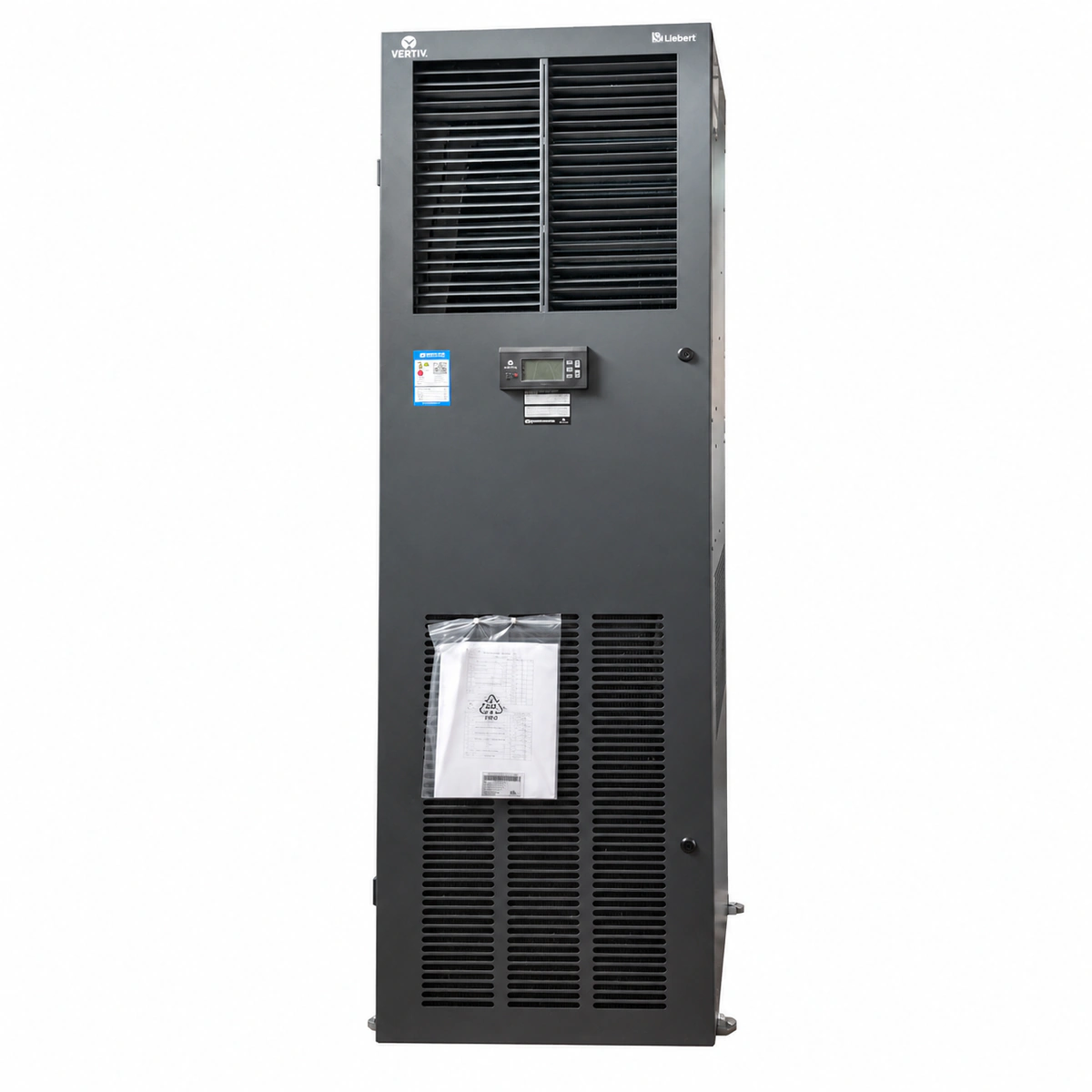
Vertiv Liebert DataMate3000 DME12 12.5kW Precision Air Conditioner Unit Official Studio Photo 2

Information below comes from the current product catalogue. Confirm the controller, software version and configuration of the installed equipment separately.

Rated Cooling Capacity
12.5 kW Rated Cooling Capacity
Sensible Heat Ratio (SHF)
≥ 0.90 (High Sensible Heat Ratio for Data Center)
Airflow Delivery & Fan Type
Upflow / Front Flow (High Airflow Small Enthalpy)
Grid Power Supply System
380V AC (Three-Phase 5-Wire) / 220V Single-Phase Optional
Refrigerant Type
R410A Eco-Friendly Refrigerant
Compressor Type
High-Efficiency Flexible Scroll Compressor

Alarms & troubleshooting

HP_ALARM (Compressor High Discharge Pressure Alarm)
Alarm LED solid red, buzzer active, Run LED flashing
Outdoor condenser fins clogged with debris; condenser fan speed controller or motor failure; excessive refrigerant charge; discharge service valve partially closed.
1. Inspect and clean outdoor condenser fins with compressed air or water coil cleaner. 2. Verify outdoor fan power supply, run capacitor, and speed controller output voltage. 3. Connect manifold gauges to check discharge pressure; reclaim excess refrigerant if overcharged. 4. Check high-pressure switch terminal wiring and manually reset switch if tripped.
LP_ALARM (Compressor Low Suction Pressure Alarm)
Alarm LED solid red, Compressor Run LED off
Refrigerant loss due to leak; thermal expansion valve (TXV) clogged or thermal bulb charge lost; indoor air filter choked causing evaporator icing; low ambient start bypass failure.
1. Inspect indoor air filter and evaporator coil; clean filter and thaw out coil if frozen. 2. Connect gauge manifold to evaluate suction pressure and superheat values. 3. Conduct leak detection along copper joints, Schrader valves, and TXV with an electronic leak detector. 4. Repair leak, evacuate system below 500 microns, recharge according to nameplate, and test LP switch cutoff.
AIRFLOW_FAIL (Indoor Fan Overload & Loss of Airflow)
Alarm LED solid red, Fan Run LED off, system shutdown
Indoor fan thermal overload relay tripped; motor run capacitor degraded or windings open/shorted; differential pressure switch tubing disconnected; severe duct/plenum obstruction.
1. Disconnect main power, inspect fan thermal overload relay setting, and reset if tripped. 2. Spin the centrifugal blower wheel by hand to check for mechanical seizure or debris. 3. Measure fan motor winding resistances and test the capacitance of the motor capacitor. 4. Inspect pressure pick-up pitot tubes connected to the differential pressure switch for splits or disconnection.
HIGH_TEMP (Return Air High Temperature Alarm)
Alarm LED solid amber or red, main display displays current high temperature
Room IT heat load exceeds DME12 12kW cooling capacity; compressor offline due to prior lockout; room envelope sealed inadequately letting outside heat enter; high temp alarm threshold configured too low.
1. Check for concurrent compressor HP/LP alarms on controller and resolve root fault. 2. Verify compressor AC contactor engagement and measure delta-T across evaporator coil (nominal 6–10°C). 3. Check computer room envelope integrity, doors, and cable entry seals. 4. Verify temperature setpoints and alarm limits; stage on secondary backup cooling unit if load exceeds capacity.
SENSOR_FAIL (Return Air Temp/Humidity Sensor Open/Short Fault)
Alarm LED solid amber, display shows '---' or flashes erroneous readings
Return air sensor harness loose, disconnected, or severed; internal NTC thermistor or humidity element damaged; main controller analog input port hardware failure.
1. Inspect wiring terminals connecting the integrated temp/humidity sensor to the mainboard; re-seat and tighten connections. 2. Disconnect sensor and measure NTC resistance with a digital multimeter; compare with standard resistance-temperature chart. 3. Verify sensor supply voltage (nominal 12VDC or 5VDC) and signal voltage output. 4. Replace defective sensor assembly with genuine Vertiv replacement part and recalibrate via display menu.

Access Complete Maintenance & Full Alarm Troubleshooting Manual

This page lists high-frequency critical alarm codes commonly encountered in field maintenance. Comprehensive manufacturer troubleshooting matrices, board-level repair guides, detailed electrical schematics, and firmware commissioning manuals are delivered alongside equipment upon formal project procurement, accompanied by dedicated FAE technical support.

Share on-site information

  1. 01

    Identify the exact model

    Record the nameplate, system model and controller or module model.

  2. 02

    Keep the alarm details

    Record the full alarm text, indicator colour, timing and whether it persists.

  3. 03

    Describe recent changes

    Note recent replacements, software updates or configuration changes.

Record information visible in the existing interface. Electrical measurements, disassembly and replacement should follow the applicable manufacturer's manual and be performed by qualified personnel.

Your model and these details will be added to the enquiry form for you to review before sending.

Related technical articles

Browse the technical guides or send a question about this model.

View all articles

Need a replacement module or supporting equipment?

Confirm the full model, system configuration and compatibility requirements before enquiring about suitable products.

Ask about suitable products

Have a model and an on-site issue?

Share the exact model, alarm text and observed symptoms to help identify relevant information and compatibility requirements.

Request technical support