Huawei / SFP optical transceivers

Huawei R1MEPF240 Filter Board Equipment information & support

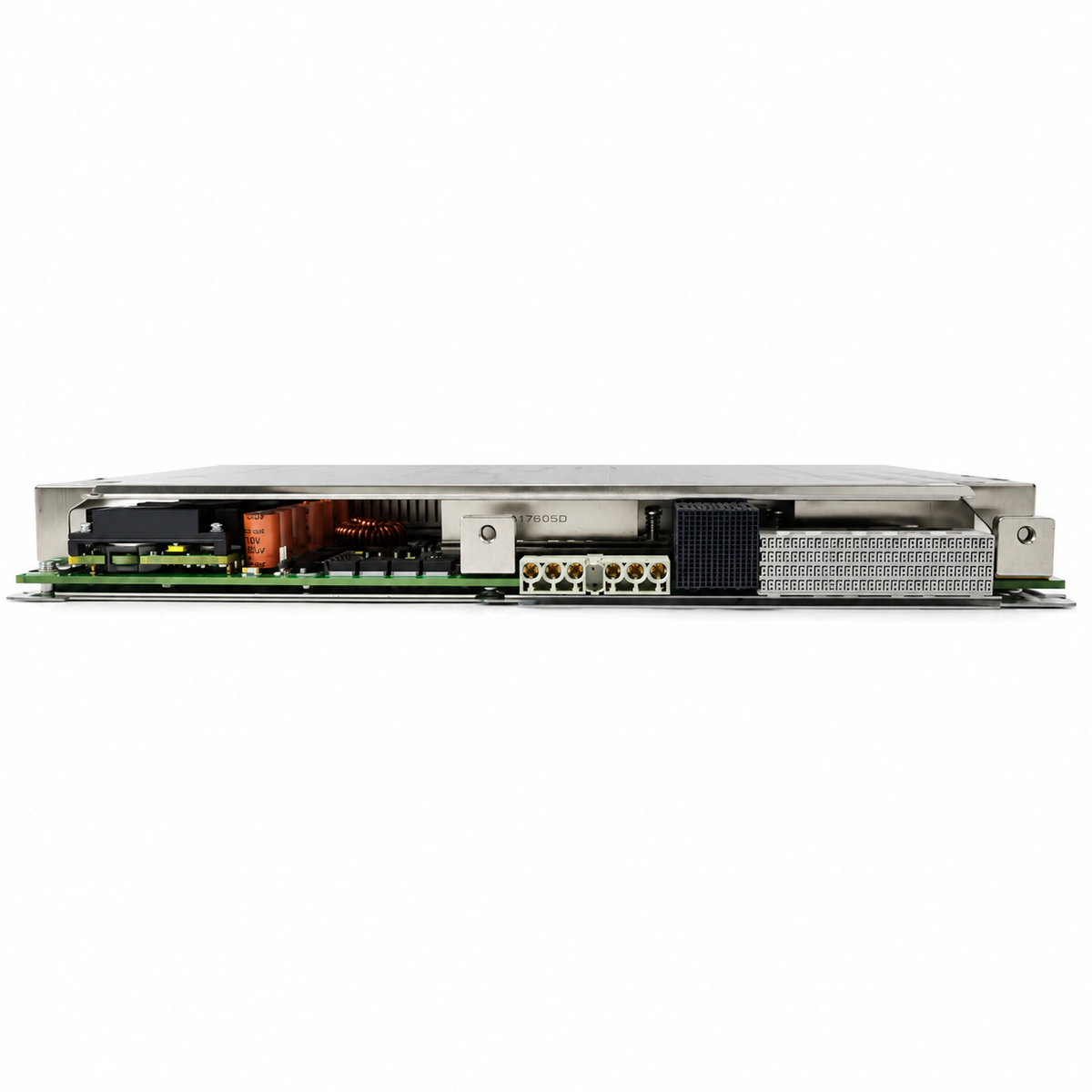
The Huawei R1MEPF240 is an industrial-grade DC power filtering and lightning surge protection board engineered for Huawei SmartAX high-capacity chassis, delivering robust electromagnetic ripple suppression and high-current surge clamping.

Equipment information

Brand
Huawei
Equipment model
Huawei R1MEPF240 Filter Board
Equipment type
SFP optical transceivers
Controller / software version
Confirm against the installed equipment
View full product specifications
Huawei R1MEPF240 Filter Board Official Product View 5

Information below comes from the current product catalogue. Confirm the controller, software version and configuration of the installed equipment separately.

Board Type
High-capacity direct-current power input filtering and lightning protection board
Port Density & Specs
High-current pure-copper input terminal bar + multi-stage LC filtering and discharge tube array
Supported Chassis
Huawei SmartAX MA5600 / MA5680T large-capacity access chassis
Subscriber Capacity
High-voltage surge suppression, with lightning-current handling capacity meeting the highest rating for telecom equipment rooms
Typical Power Consumption
Fully passive, high-conductivity design with extremely low power consumption W
Operating Temperature
-40°C to +70°C

Alarms & troubleshooting

SPD_FAIL (Surge Protection Device Failure)
ALM LED solid red, RUN LED solid green
Internal varistor degraded or punctured due to high transient lightning surges, triggering the mechanical thermal disconnect.
1. Inspect the physical SPD status indicator on the MEPF board for color change or closed alarm contacts; 2. Measure continuity across the surge protection circuit and verify ground impedance (< 10 ohms); 3. Replace the R1MEPF240 filter board following anti-static and live-line replacement procedures.
FILTER_FUSE_BROKEN (Filter Board Input Fuse Blown)
PWR LED off, ALM LED solid red
Severe downstream DC bus short circuit, internal filter capacitor breakdown, or prolonged load overcurrent causing the on-board input fuse to blow.
1. Open the upstream DC circuit breaker and measure output impedance to ground to isolate downstream subrack short circuits; 2. Test input fuse resistance with a multimeter to verify open circuit; 3. Clear downstream faults and replace the faulty R1MEPF240 filter board.
DC_VOLT_OUT_OF_RANGE (DC Input Voltage Out of Range)
RUN LED blinking slowly (0.5 Hz), ALM LED solid red
Upstream rectifier system float voltage abnormal, battery discharge below -38.4V DC, overvoltage exceeding -58.5V DC, or excessive cable voltage drop.
1. Measure actual voltage at the MEPF input connector using a calibrated multimeter; 2. Check the power plant controller settings for float/boost charge voltages and battery condition; 3. Inspect terminal torques and cable cross-section to eliminate excessive line drop.
PGND_DISCONN (Protective Ground Disconnected)
ALM LED flashing amber (1 Hz)
Chassis protective ground (PGND) lug loose, ground loop resistance exceeding safety threshold, or ground busbar detached, degrading EMC common-mode filtering.
1. Inspect the grounding screw and lug on the R1MEPF240 faceplate and subrack; 2. Measure bonding resistance between the subrack chassis and the main grounding bar (< 1 ohm); 3. Clean any surface oxidation, re-terminate the ground lug, and torque to standard specifications.
BOARD_OVERTEMP (Filter Board Over-Temperature Alarm)
ALM LED flashing red fast (2 Hz), RUN LED solid green
Air filter mesh severely clogged with dust, subrack cooling fan tray failure, or continuous high-current operation near overload causing thermal dissipation buildup on inductors.
1. Remove and clean the subrack air dust filter to restore unobstructed airflow; 2. Check the subrack fan unit status and ensure no fan stall or speed failure alarms exist; 3. Measure total load current to verify it does not exceed the R1MEPF240 rated capacity (240A).

Access Complete Maintenance & Full Alarm Troubleshooting Manual

This page lists high-frequency critical alarm codes commonly encountered in field maintenance. Comprehensive manufacturer troubleshooting matrices, board-level repair guides, detailed electrical schematics, and firmware commissioning manuals are delivered alongside equipment upon formal project procurement, accompanied by dedicated FAE technical support.

Share on-site information

  1. 01

    Identify the exact model

    Record the nameplate, system model and controller or module model.

  2. 02

    Keep the alarm details

    Record the full alarm text, indicator colour, timing and whether it persists.

  3. 03

    Describe recent changes

    Note recent replacements, software updates or configuration changes.

Record information visible in the existing interface. Electrical measurements, disassembly and replacement should follow the applicable manufacturer's manual and be performed by qualified personnel.

Your model and these details will be added to the enquiry form for you to review before sending.

Related technical articles

Browse the technical guides or send a question about this model.

View all articles

Need a replacement module or supporting equipment?

Confirm the full model, system configuration and compatibility requirements before enquiring about suitable products.

Ask about suitable products

Have a model and an on-site issue?

Share the exact model, alarm text and observed symptoms to help identify relevant information and compatibility requirements.

Request technical support