ZTE / ZTE

ZTE BPC Baseband Board Equipment information & support

The ZTE BPC is a carrier-grade baseband signal processing board designed for ZTE ZXSDR BBU units, handling air interface physical layer modulation, channel coding, and baseband data distribution for mobile cellular base stations.

Equipment information

Brand
ZTE
Equipment model
ZTE BPC Baseband Board
Equipment type
ZTE
Controller / software version
Confirm against the installed equipment
View full product specifications
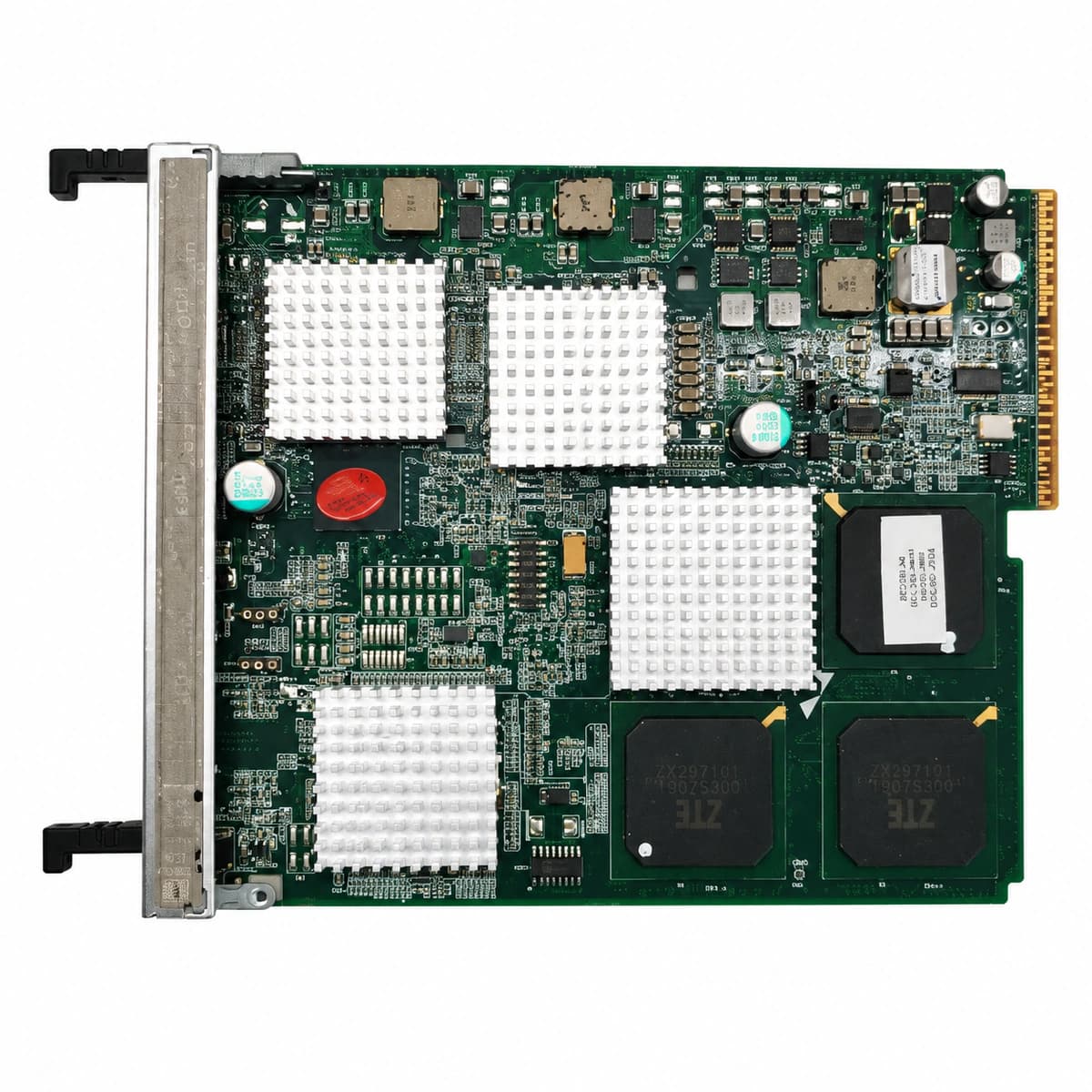
ZTE BPC Baseband Board Official Product View 4

Information below comes from the current product catalogue. Confirm the controller, software version and configuration of the installed equipment separately.

Board Type
Wireless cellular macro base station baseband signal processing board
Port Density & Specs
Supports multi-carrier air-interface modulation/demodulation and channel coding processing
Supported Chassis
ZTE ZXSDR B8200 / B8300 indoor baseband processing unit (BBU)
Subscriber Capacity
Provides concurrent demodulation of dense cellular wireless carriers and RF data interaction
Typical Power Consumption
< 60 W
Operating Temperature
-10°C ~ +55°C

Alarms & troubleshooting

CPRI_OPT_LOS (CPRI Optical Interface RX Loss of Signal)
BPC ALM LED steady red, corresponding optical port LED (L0-L5) OFF
Fiber patch cord breakage between BBU and RRU, excessive optical attenuation, remote RRU power loss, or failed SFP RX receiver on BPC.
1. Verify remote RRU power supply status and operating LEDs. 2. Measure optical RX power at the BPC port using an optical power meter (-14 dBm to -1 dBm nominal range). 3. Clean LC fiber end-faces and SFP transceiver optical bores, then reseat. 4. Replace defective fiber patch cable or replace the BPC SFP transceiver module.
SFP_DDM_TEMP_OVER (SFP Transceiver Over-Temperature Threshold)
BPC ALM LED flashing amber/red, corresponding optical port LED flashing amber slowly
Clogged BBU dust filter, high ambient room temperature, fan subrack failure causing thermal buildup, or non-industrial SFP module exceeding +85°C rated limit.
1. Query BPC optical port DDM real-time temperature telemetry via EMS/OMC. 2. Inspect and clean BBU air intake dust filter; verify fan tray RPM. 3. Adjust equipment room air conditioning to restore ambient intake under +25°C. 4. If isolated to a single port, replace with ZTE genuine industrial-temp (-40°C to +85°C) SFP module.
CPRI_BER_OVER (CPRI Link Bit Error Rate Degraded)
BPC ALM LED flashing amber, corresponding optical port LED alternating green and amber
Fiber micro-bending exceeding radius limits, contaminated optical flange/sleeve, SFP laser chirp/dispersion degradation, or loose LC connector contact.
1. Inspect fiber routing along cable ladder and eliminate bends sharper than 30 mm radius. 2. Inspect with fiber scope and clean LC ferrule and SFP internal optical receptacle with a dedicated dry cleaner. 3. Review CPRI physical layer counters and Forward Error Correction (FEC) stats on the EMS. 4. If CRC/BER continues accumulating after cleaning, replace both SFP modules (6G/9.8G rated) on BPC and RRU sides.
SFP_TX_BIAS_HIGH (SFP Transmitter Laser Bias Current Warning)
BPC ALM LED slow flashing amber, optical port LED steady green
Aging of the internal laser diode (LD) inside the BPC SFP module; driver circuitry excessively increases bias current to compensate and sustain optical output power.
1. Read SFP DDM Tx Bias Current via EMS; verify if it exceeds warning threshold (typically >60 mA or >80% limit). 2. Measure Tx optical power to check if degradation has affected output levels. 3. Schedule maintenance window and prepare a genuine replacement SFP matching wavelength and data rate. 4. Hot-swap the aging SFP module before permanent laser breakdown occurs.
OPT_MODULE_MISMATCH (SFP Transceiver Type Mismatch or Unrecognized)
BPC ALM LED steady red, corresponding optical port LED steady amber
Insertion of unauthorized/non-standard third-party SFP, I2C EEPROM checksum verification failure, optical rate mismatch (e.g. 1.25G GE SFP installed in a 6G/9.8G CPRI port), or wavelength incompatibility.
1. Execute EMS command to read the optical port's SFP electronic label, vendor info, and part number. 2. Confirm slot rate configuration (CPRI 2.457G/6.144G/9.830G) matches module nominal speed ratings. 3. Remove module; inspect golden-finger contacts for contamination, bending, or physical damage. 4. Replace with a genuine ZTE qualified SFP module matching the required BOM part number and synchronize board configuration.

Access Complete Maintenance & Full Alarm Troubleshooting Manual

This page lists high-frequency critical alarm codes commonly encountered in field maintenance. Comprehensive manufacturer troubleshooting matrices, board-level repair guides, detailed electrical schematics, and firmware commissioning manuals are delivered alongside equipment upon formal project procurement, accompanied by dedicated FAE technical support.

Share on-site information

  1. 01

    Identify the exact model

    Record the nameplate, system model and controller or module model.

  2. 02

    Keep the alarm details

    Record the full alarm text, indicator colour, timing and whether it persists.

  3. 03

    Describe recent changes

    Note recent replacements, software updates or configuration changes.

Record information visible in the existing interface. Electrical measurements, disassembly and replacement should follow the applicable manufacturer's manual and be performed by qualified personnel.

Your model and these details will be added to the enquiry form for you to review before sending.

Related technical articles

Browse the technical guides or send a question about this model.

View all articles

Need a replacement module or supporting equipment?

Confirm the full model, system configuration and compatibility requirements before enquiring about suitable products.

Ask about suitable products

Have a model and an on-site issue?

Share the exact model, alarm text and observed symptoms to help identify relevant information and compatibility requirements.

Request technical support