Vertiv / Precision air conditioning

Liebert PEX AC 70kW Equipment information & support

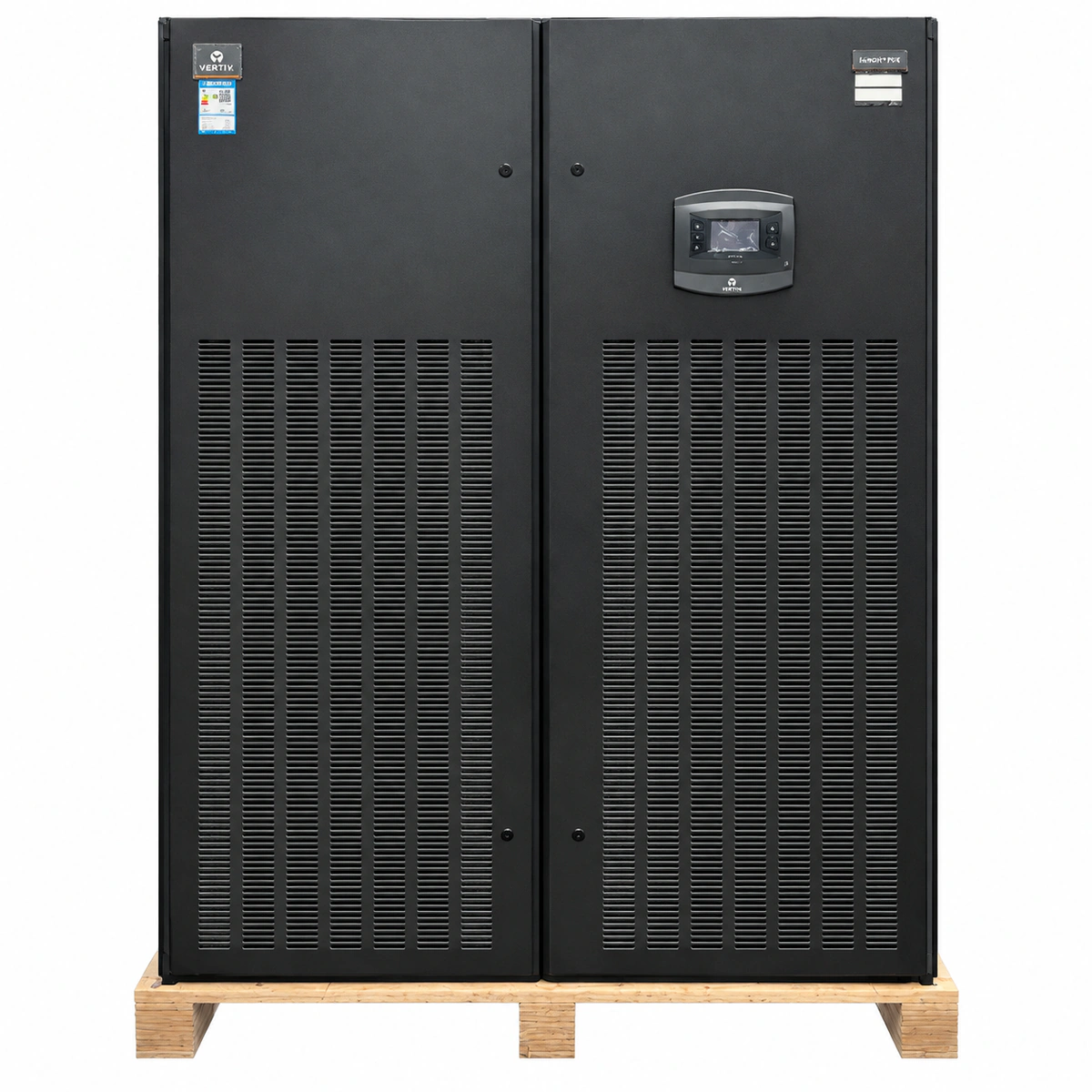
The Vertiv Liebert PEX 70kW is an industrial-grade high-capacity precision environmental control unit delivering 70kW of cooling with iCOM digital intelligence for large mission-critical facilities.

Equipment information

Brand
Vertiv
Equipment model
Liebert PEX AC 70kW
Equipment type
Precision air conditioning
Controller / software version
Confirm against the installed equipment
View full product specifications
Liebert PEX AC 70kW Official Product View 1

Information below comes from the current product catalogue. Confirm the controller, software version and configuration of the installed equipment separately.

Rated Cooling Capacity
70.0 kW
Sensible Heat Ratio (SHF)
> 0.95 (Ultra-High Sensible Heat Ratio)
Airflow Volume
18500 m³/h
Grid Power Supply System
380VAC ± 10% (three-phase 50Hz)
Refrigerant Type
R410A Eco-Friendly High-Efficiency Refrigerant
Physical Dimensions Spec
1975 × 1750 × 850 mm (high-capacity floor-standing cabinet)

Alarms & troubleshooting

HP_ALARM (Compressor High Discharge Pressure)
iCOM Red Alarm LED solid, audible buzzer active
Outdoor condenser coil blocked/fouled, condenser fan power failure or motor fault, EEV throttled, overcharged refrigerant, or manual high-pressure switch tripped.
1. Inspect outdoor condenser coil and wash out dirt, debris, or cottonwood seeds; 2. Verify condenser fan circuit breakers, motor capacitors, and EC/inverter speed controller output; 3. Check high-pressure transducer readout and depress the manual HP reset button on the discharge line; 4. Measure system subcooling and superheat; adjust refrigerant charge if needed and clear the alarm via iCOM.
LP_ALARM (Low Suction Pressure / Refrigerant Leak)
iCOM Amber/Red LED flashing, intermittent buzzer
System refrigerant leak, clogged return air filters causing starvation of evaporator heat load, defective or jammed electronic expansion valve (EEV) stepper, or faulty low-pressure transducer.
1. Inspect the liquid sight glass for flash gas bubbles and check suction line for ice/frost formation; 2. Inspect and replace dirty return air filters to ensure rated airflow across the evaporator coil; 3. Verify EEV drive pulses and measure winding resistances of the expansion valve stepper motor; 4. Perform electronic leak detection on braze joints and service ports, repair leak, evacuate below 500 microns, recharge according to unit nameplate, and reset.
AIRFLOW_LOSS (Loss of Airflow / Fan Failure)
iCOM Red Alarm LED solid, unit safety interlock shut down
EC fan branch circuit breaker tripped, EC motor internal driver failure, differential air pressure switch sensing tubing disconnected or kinked, or defective pressure switch contact.
1. Check the EC fan distribution circuit breakers and fuses in the high-voltage section; reset if tripped; 2. Inspect the differential pressure switch silicone tubing for disconnection, kinks, dust, or condensation accumulation; 3. Measure main power supply to the EC motor and check the 0-10 VDC / Modbus control signal from iCOM; 4. Lockout/tagout power and manually spin the fan impeller to verify free rotation without mechanical binding; replace fan assembly if driver is burned.
COND_COMM_FAIL (Condenser Fan Speed Control Comm Loss)
iCOM Amber LED solid
RS-485 Modbus communication line disconnected between indoor iCOM and outdoor condenser fan control board (Liebert LSF/ECE), electromagnetic interference on ungrounded shield, missing 120-ohm termination resistor, or outdoor controller loss of power.
1. Verify auxiliary power supply (24VAC/230VAC) at the outdoor condenser electrical enclosure; 2. Inspect the RS-485 shielded twisted pair between indoor iCOM and outdoor board for loose terminals or reversed A/B polarity; 3. Verify that the cable shield is grounded at one end only and check the presence of the 120-ohm terminal resistor; 4. Check the DIP switch communication address on the outdoor fan speed controller board against the iCOM configuration menu.
TH_SENS_FAIL (Return Air Temp/Humidity Sensor Fault)
iCOM Amber LED blinking (0.5Hz)
Return air temperature/humidity combo sensor cable loose or broken, damaged NTC/capacitive sensor probe, corroded connector pins, or missing 12V/24V power supply from the iCOM board.
1. Inspect the T/H combo sensor harness behind the return air filter for loose wire terminals or RJ45 connector disengagement; 2. Measure the DC supply voltage at the sensor connector terminals; 3. Check the resistance of the NTC temperature thermistor and compare it against the nominal resistance-temperature curve; 4. If the sensor is burned or unresponsive, replace the sensor module and recalibrate via the iCOM service menu.

Access Complete Maintenance & Full Alarm Troubleshooting Manual

This page lists high-frequency critical alarm codes commonly encountered in field maintenance. Comprehensive manufacturer troubleshooting matrices, board-level repair guides, detailed electrical schematics, and firmware commissioning manuals are delivered alongside equipment upon formal project procurement, accompanied by dedicated FAE technical support.

Share on-site information

  1. 01

    Identify the exact model

    Record the nameplate, system model and controller or module model.

  2. 02

    Keep the alarm details

    Record the full alarm text, indicator colour, timing and whether it persists.

  3. 03

    Describe recent changes

    Note recent replacements, software updates or configuration changes.

Record information visible in the existing interface. Electrical measurements, disassembly and replacement should follow the applicable manufacturer's manual and be performed by qualified personnel.

Your model and these details will be added to the enquiry form for you to review before sending.

Related technical articles

Browse the technical guides or send a question about this model.

View all articles

Need a replacement module or supporting equipment?

Confirm the full model, system configuration and compatibility requirements before enquiring about suitable products.

Ask about suitable products

Have a model and an on-site issue?

Share the exact model, alarm text and observed symptoms to help identify relevant information and compatibility requirements.

Request technical support