Vertiv / UPS power

Liebert ITA2 3kVA UPS Equipment information & support

The Vertiv Liebert ITA2 3kVA is a high-performance, compact uninterruptible power supply engineered with high-frequency online double conversion topology. Housed in a 2U rack/tower convertible form factor, it delivers unity power factor (3kVA/3kW) to ensure pure sine wave protection for enterprise network and mission-critical edge compute loads.

Equipment information

Brand
Vertiv
Equipment model
Liebert ITA2 3kVA UPS
Equipment type
UPS power
Controller / software version
Confirm against the installed equipment
View full product specifications
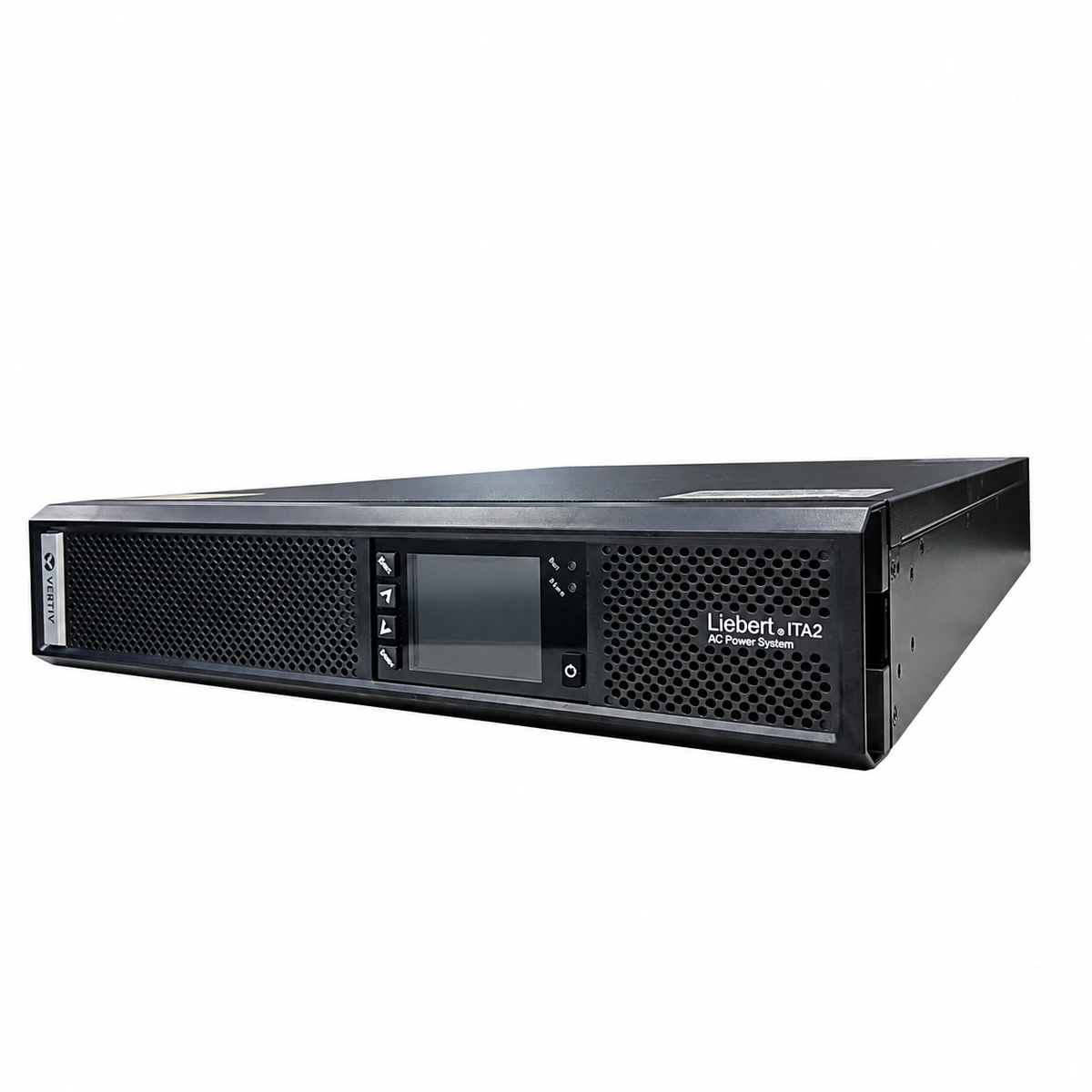
Vertiv Liebert ITA2 3kVA Rack/Tower On-Line Double Conversion UPS (3kW, PF=1.0, 2U) Official Studio Photo 1

Information below comes from the current product catalogue. Confirm the controller, software version and configuration of the installed equipment separately.

Rated Output Power
3kVA / 3kW (Output Power Factor 1.0)
AC Input Voltage Range
176V AC ~ 288V AC (Wide Single-Phase AC Input)
Topology
Online Double Conversion Pure Sine Wave
Power Conversion Efficiency
≥ 95% (High Frequency Energy Efficient Design)
Communication Interface
RS485 / USB / Dry Contacts / Intelligent Slot
Battery System Voltage
Internal / External Battery Pack Flexible Match

Alarms & troubleshooting

INV_FAULT (Inverter Fault / Transfer to Bypass)
Fault LED solid Red, Bypass LED solid Amber, Inverter LED off, continuous audible alarm
Inverter bridge IGBT drive abnormal, DC bus short circuit, internal hardware overcurrent protection trip, or inverter voltage feedback loop failure
1. Check the LCD event log to record active fault codes and DC bus voltage levels. 2. Verify that bypass supply is stable; do not power off unit abruptly to prevent load drop. 3. Disconnect non-critical branch circuits and inspect downstream distribution for short circuits. 4. If loads and bus voltage are verified normal yet fault persists, transfer to maintenance bypass and replace the power/inverter board.
OUTPUT_OVERLOAD (Output Overload Alarm)
Fault/Alarm LED flashes Amber or solid Red, 100% load bar indicator lit, buzzer beeps twice per second
Connected IT equipment exceeds 3kVA/3kW rated capacity, high downstream inrush current, or resistive earth leakage on output cabling
1. Immediately check real-time load percentage and output phase currents on the LCD menu. 2. Shed non-essential auxiliary server racks and peripheral equipment. 3. Monitor the overload countdown timer to prevent transfer to bypass or forced shutdown. 4. Rebalance PDU branch circuit loads and evaluate upgrading to a larger capacity power system.
BATT_EOD_WARN (Battery Undervoltage / EOD Warning)
Battery LED flashes Amber, Fault LED solid Amber/Red, buzzer beeps once per second (continuous tone near EOD)
Prolonged mains outage depleting battery string to cut-off threshold, external battery pack breaker tripped, or aged high-impedance cells
1. Check AC input utility breaker and initiate standby generator startup if mains restoration is delayed. 2. Inspect external battery cabinet DC circuit breaker and power cabling connections. 3. Initiate graceful automated shutdown scripts for connected hypervisors and storage arrays. 4. When AC mains recovers, verify bulk charging current; perform battery conductance/internal resistance test if charge fails.
OVER_TEMP_FLT (Internal Overtemperature Fault)
Fault LED solid Red, Inverter LED blinking or off, Bypass LED lit, continuous acoustic warning
Ambient telecom room temperature exceeds 40°C, air intake dust filters clogged, blocked airflow path, or cooling fan speed degradation
1. Check server room CRAC/air conditioning operation and ensure ambient intake temp is reduced below 25°C. 2. Inspect front air intake bezel and rear exhaust area; remove any blocking items and clean dust accumulation. 3. Check internal heatsink temperature sensors (NTC) readings via the LCD maintenance menu. 4. If the alarm persists after heatsinks cool down, inspect temperature sensor wiring and thermal interface material.
FAN_FAULT (Cooling Fan Speed Abnormal / Fan Fault)
Alarm LED flashes Amber, Run LED solid Green, buzzer beeps once every 2 seconds
Rear DC fan bearing seized by foreign objects, tachometer feedback wire disconnected, or fan driver power rail failure
1. Visually and acoustically inspect rear chassis fans to identify the stalled or vibrating unit. 2. Under safe maintenance isolation, clear any loose wiring or physical debris obstructing the blades. 3. Verify that the 4-pin fan harness is firmly seated on the controller PCB and check PWM feedback. 4. If control supply is present but rotation is missing or out of spec, replace the OEM DC fan module.

Access Complete Maintenance & Full Alarm Troubleshooting Manual

This page lists high-frequency critical alarm codes commonly encountered in field maintenance. Comprehensive manufacturer troubleshooting matrices, board-level repair guides, detailed electrical schematics, and firmware commissioning manuals are delivered alongside equipment upon formal project procurement, accompanied by dedicated FAE technical support.

Share on-site information

  1. 01

    Identify the exact model

    Record the nameplate, system model and controller or module model.

  2. 02

    Keep the alarm details

    Record the full alarm text, indicator colour, timing and whether it persists.

  3. 03

    Describe recent changes

    Note recent replacements, software updates or configuration changes.

Record information visible in the existing interface. Electrical measurements, disassembly and replacement should follow the applicable manufacturer's manual and be performed by qualified personnel.

Your model and these details will be added to the enquiry form for you to review before sending.

Related technical articles

Browse the technical guides or send a question about this model.

View all articles

Need a replacement module or supporting equipment?

Confirm the full model, system configuration and compatibility requirements before enquiring about suitable products.

Ask about suitable products

Have a model and an on-site issue?

Share the exact model, alarm text and observed symptoms to help identify relevant information and compatibility requirements.

Request technical support