Vertiv / UPS power

Liebert GXT5-EBC38VRT6U Equipment information & support

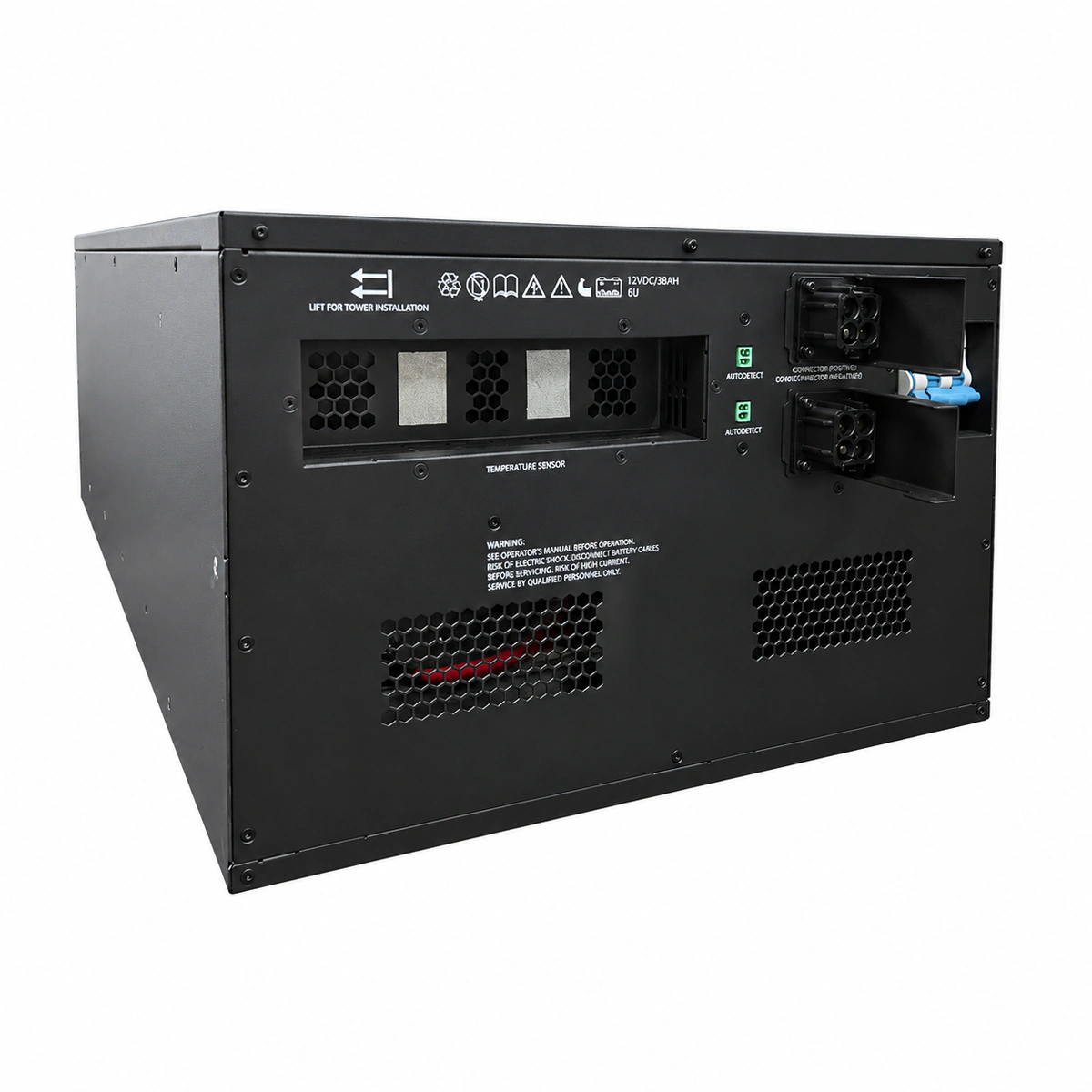
The Vertiv Liebert GXT5-EBC38VRT6U is a heavy-duty 6U rack/tower convertible external battery cabinet engineered specifically for high-capacity Liebert GXT5 16kVA and 20kVA UPS models.

Equipment information

Brand
Vertiv
Equipment model
Liebert GXT5-EBC38VRT6U
Equipment type
UPS power
Controller / software version
Confirm against the installed equipment
View full product specifications
Liebert GXT5-EBC38VRT6U Official Product View 4

Information below comes from the current product catalogue. Confirm the controller, software version and configuration of the installed equipment separately.

Apparent Power
Compatible with 16kVA/20kVA high-power systems VA
Active Power
Rated DC bus voltage ±192V DC / ±216V DC
Output Power Factor PF
Industrial-grade long-life valve-regulated lead-acid battery (VRLA)
Topology
Hot-swappable external battery expansion unit
AC Input Voltage Range
Supports seamless parallel connection of multiple battery cabinets for extended backup time VAC
Physical Form Factor
6U ultra-high-capacity standard 19-inch rack-mount unit

Alarms & troubleshooting

EBC_BRK_OPEN (EBC Breaker Open)
UPS Fault LED solid red, EBC rear breaker handle in OFF/TRIP position
EBC DC circuit breaker open, tripped on overcurrent, or DC power cable unseated
1. Inspect rear EBC DC connector to verify full engagement and secure bracket. 2. Measure DC open-circuit voltage and polarity using a multimeter (nominal 384V–436V DC). 3. Ensure no downstream short circuit, switch DC breaker to ON, and verify alarm clears on UPS LCD.
EBC_DETECT_LOST (EBC Auto-Detection Lost)
UPS Warning LED solid amber, LCD indicates EBC count/capacity mismatch
EBC detection signal cable disconnected, daisy-chain RJ45 cable unplugged, or pin damage
1. Check the dedicated detection signal cable between UPS and EBC to verify latched seating. 2. If multi-cabinet daisy-chained, inspect all Detection In/Out jumpers across each EBC. 3. Enter UPS LCD 'Battery' menu, re-scan and manually verify the recognized EBC quantity.
BATT_OVERTEMP (Battery Over-Temperature)
UPS Fault LED flashing, LCD shows battery temperature above threshold, beeps 1s
EBC ventilation vents blocked, ambient room HVAC failure (>40°C), or internal cell thermal runaway
1. Clear airflow grilles on front and rear panels; maintain at least 100mm clearance. 2. Verify datacenter HVAC operation and restore ambient temperature to recommended 20°C–25°C. 3. If ambient is normal but cabinet is hot, open EBC DC breaker and use thermal imager to identify failing blocks.
DC_BUS_UNDERVOLT (DC Bus Undervoltage / EOD)
UPS Battery LED off/flashing, Fault LED solid red, LCD displays Battery Low/EOD
Prolonged mains outage resulting in End-of-Discharge cutoff (<320V DC) or severely aged cells
1. Restore AC utility power to UPS rectifier and verify charger transitions to boost/float charge. 2. Keep load supported by mains; allow uninterrupted recharge for at least 8 hours to bring bus >384V DC. 3. If string fails to recharge on stable mains, verify charger output current, internal DC fuses, and wiring.
BATT_TEST_FAIL (Battery Self-Test Failure)
UPS Battery Warning icon solid, LCD displays 'Battery Replace', intermittent beep
DC bus voltage drop exceeded threshold during periodic self-test; high internal resistance or degraded capacity
1. Ensure full recharge (>24 hours), then initiate a manual battery test via UPS LCD to rule out false triggers. 2. If test fails again, open EBC breaker, remove front covers, and test each 12V block's internal resistance/voltage. 3. Replace degraded blocks showing high impedance or float voltage below 12.5V, then re-run test to clear warning.

Access Complete Maintenance & Full Alarm Troubleshooting Manual

This page lists high-frequency critical alarm codes commonly encountered in field maintenance. Comprehensive manufacturer troubleshooting matrices, board-level repair guides, detailed electrical schematics, and firmware commissioning manuals are delivered alongside equipment upon formal project procurement, accompanied by dedicated FAE technical support.

Share on-site information

  1. 01

    Identify the exact model

    Record the nameplate, system model and controller or module model.

  2. 02

    Keep the alarm details

    Record the full alarm text, indicator colour, timing and whether it persists.

  3. 03

    Describe recent changes

    Note recent replacements, software updates or configuration changes.

Record information visible in the existing interface. Electrical measurements, disassembly and replacement should follow the applicable manufacturer's manual and be performed by qualified personnel.

Your model and these details will be added to the enquiry form for you to review before sending.

Related technical articles

Browse the technical guides or send a question about this model.

View all articles

Need a replacement module or supporting equipment?

Confirm the full model, system configuration and compatibility requirements before enquiring about suitable products.

Ask about suitable products

Have a model and an on-site issue?

Share the exact model, alarm text and observed symptoms to help identify relevant information and compatibility requirements.

Request technical support