Vertiv / Precision air conditioning

Liebert DataMate3000-2 DME22 Equipment information & support

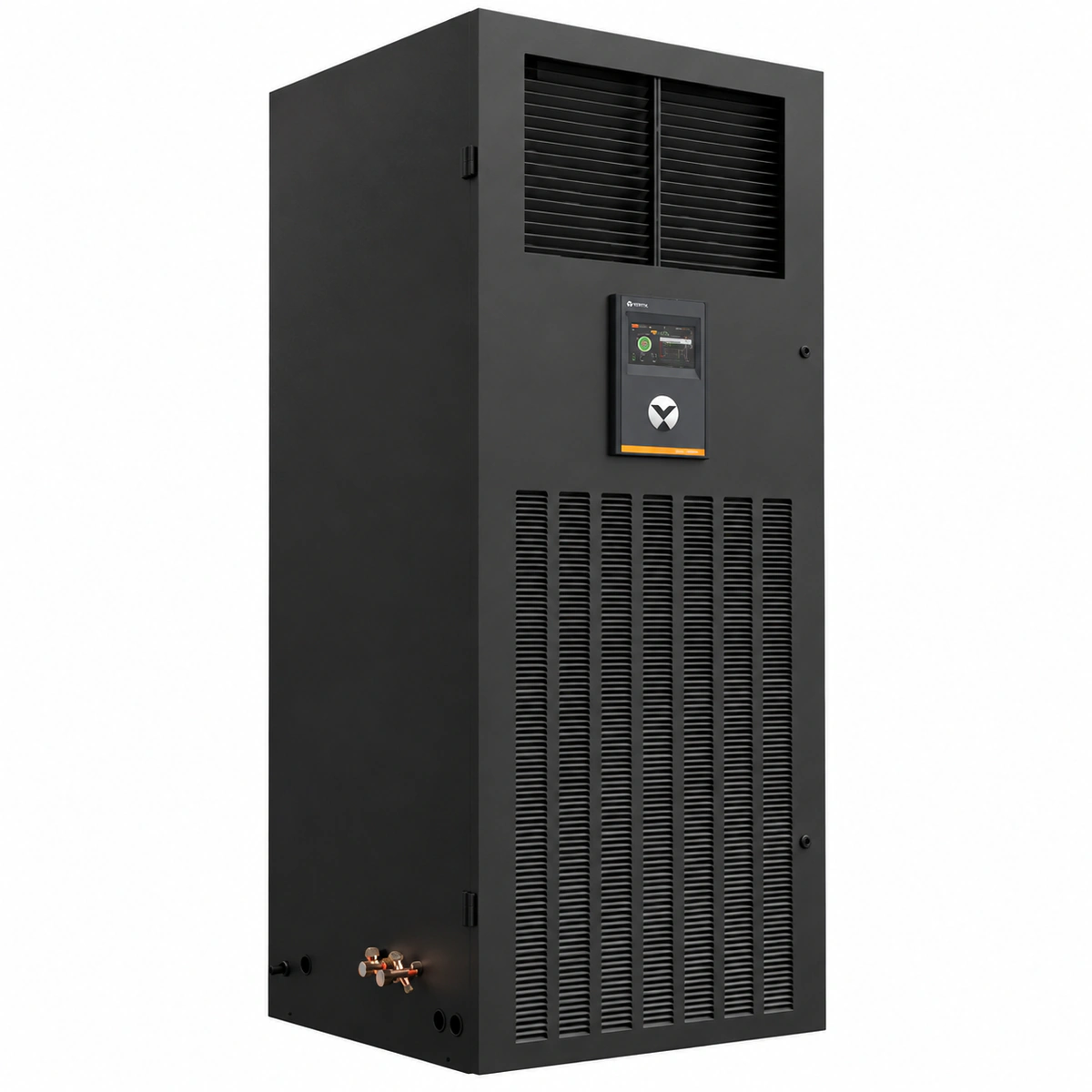
Vertiv Liebert DataMate3000-2 DME22 is a next-generation 22kW room-level precision air conditioner featuring an 800x765x1975mm compact footprint, 7-inch HMI touchscreen, and eco-friendly R410A refrigerant.

Equipment information

Brand
Vertiv
Equipment model
Liebert DataMate3000-2 DME22
Equipment type
Precision air conditioning
Controller / software version
Confirm against the installed equipment
View full product specifications
Liebert DataMate3000-2 DME22 Official Product View 1

Information below comes from the current product catalogue. Confirm the controller, software version and configuration of the installed equipment separately.

Energy Saving Mode
Economy operating mode as standard; up to 4 optional external sleep-mode energy-saving cards
HMI Display Interface
7-inch full-color HMI touchscreen (self-learning and self-diagnostics)
Matching Outdoor Condenser
Standard configuration: DMC22M*1 (-15℃~+45℃); optional low-temperature kit for -34℃
Rated Cooling Capacity
22 kW (air-cooled cooling-only/electric heating/humidification)
Sensible Heat Ratio (SHF)
> 0.90 (high sensible heat ratio design)
Refrigerant Type
Environmentally friendly R410A

Alarms & troubleshooting

HP_ALM (Compressor High Pressure Alarm)
Red Alarm LED solid on, continuous buzzer, HP icon flashing on LCD
Outdoor condenser fins clogged with debris; condenser fan speed controller or motor failure; excessive refrigerant charge; high-pressure switch tripped or faulty.
1. Inspect and clean outdoor condenser fins to ensure unrestricted heat dissipation. 2. Verify power supply and signal output of the condenser fan speed regulator; check fan motor for mechanical binding. 3. Connect manifold gauges to verify discharge pressure; recover excess refrigerant if overcharged. 4. Manually reset the high-pressure switch once pressure normalizes, then clear the alarm via the controller interface.
LP_ALM (Compressor Low Pressure Alarm)
Red Alarm LED solid on, LCD displays LP error code and low pressure symbol
System refrigerant leak; clogged indoor air filter causing evaporator freezing; thermal expansion valve (TXV) bulb failure or orifice blockage; low ambient conditions without low-ambient kit.
1. Inspect the indoor return air filter and evaporator coil; clean clogs and defrost the coil to restore airflow. 2. Check refrigeration piping and joints for oil marks; utilize a leak detector to locate and braze leaks. 3. Evacuate the system to deep vacuum, perform nitrogen holding test, and recharge refrigerant to exact nameplate specification. 4. Measure suction superheat; replace faulty TXV or liquid line filter drier if restriction is detected.
AIR_FLOW_LOSS (Indoor Loss of Airflow / Fan Overload)
Red Alarm LED solid on, audible alarm sounds, fan fault and airflow warning icon on LCD
Indoor centrifugal fan thermal overload relay tripped; differential pressure switch tubing disconnected or clogged; drive belt snapped/loose (if applicable) or motor capacitor/bearing failure; worn contactor contacts.
1. Disconnect main power, manually rotate the blower impeller to ensure smooth movement without binding. 2. Inspect blower contactor, measure motor winding resistance to ground, and verify overload relay setting against nameplate FLA. 3. Check airflow differential pressure switch pilot tubes for blockage or disconnection; recalibrate if necessary. 4. Reset thermal overload relay, power on to verify correct rotation direction and running amperage.
WATER_OVF_ALM (Condensate Pan Overflow / Water Leak)
Red Alarm LED flashing, intermittent buzzer beep, water drop overflow icon on LCD
Drain line clogged with algae/sludge or kinked; condensate lift pump failure or power loss; float switch stuck mechanically in tripped position; humidifier fill valve leaking past seat.
1. Inspect drain pan; clear drain hose and P-trap using compressed nitrogen or a wet vacuum. 2. For units equipped with a condensate pump, verify 220VAC power, inspect the pump check valve, and clean the sump basin. 3. Test the float level switch by moving it manually and checking electrical continuity with a multimeter. 4. Remove standing water from pan; verify normal drain gravity flow and reset alarm on the controller.
SEN_FAIL_TH (Return Air Temp/Humidity Sensor Fault)
Amber Alarm LED solid on, LCD temperature/humidity values display '--' or blinking '-99'
Return air sensor signal harness loose or disconnected; RS-485 bus or analog signal line open/shorted to ground; internal sensing component failure; DC supply voltage dropped below 12VDC.
1. Inspect wiring connectors on the return air sensor probe and mainboard terminal blocks; reseat and secure terminals. 2. Measure DC supply voltage across sensor power terminals with a multimeter to ensure steady 12VDC. 3. Check RS-485 polarity (terminals A and B) and confirm shield grounding is intact to prevent high-frequency EMI noise. 4. If wiring and power verify correct but readings remain abnormal, replace the integrated temp/humidity sensor probe.

Access Complete Maintenance & Full Alarm Troubleshooting Manual

This page lists high-frequency critical alarm codes commonly encountered in field maintenance. Comprehensive manufacturer troubleshooting matrices, board-level repair guides, detailed electrical schematics, and firmware commissioning manuals are delivered alongside equipment upon formal project procurement, accompanied by dedicated FAE technical support.

Share on-site information

  1. 01

    Identify the exact model

    Record the nameplate, system model and controller or module model.

  2. 02

    Keep the alarm details

    Record the full alarm text, indicator colour, timing and whether it persists.

  3. 03

    Describe recent changes

    Note recent replacements, software updates or configuration changes.

Record information visible in the existing interface. Electrical measurements, disassembly and replacement should follow the applicable manufacturer's manual and be performed by qualified personnel.

Your model and these details will be added to the enquiry form for you to review before sending.

Related technical articles

Browse the technical guides or send a question about this model.

View all articles

Need a replacement module or supporting equipment?

Confirm the full model, system configuration and compatibility requirements before enquiring about suitable products.

Ask about suitable products

Have a model and an on-site issue?

Share the exact model, alarm text and observed symptoms to help identify relevant information and compatibility requirements.

Request technical support