Vertiv / UPS power

Liebert APM 300kVA Equipment information & support

The Vertiv Liebert APM 300kVA is a high-efficiency modular 3-phase online double-conversion UPS delivering unity power factor (300kVA/300kW) with hot-swappable power modules for mission-critical datacenters.

Equipment information

Brand
Vertiv
Equipment model
Liebert APM 300kVA
Equipment type
UPS power
Controller / software version
Confirm against the installed equipment
View full product specifications
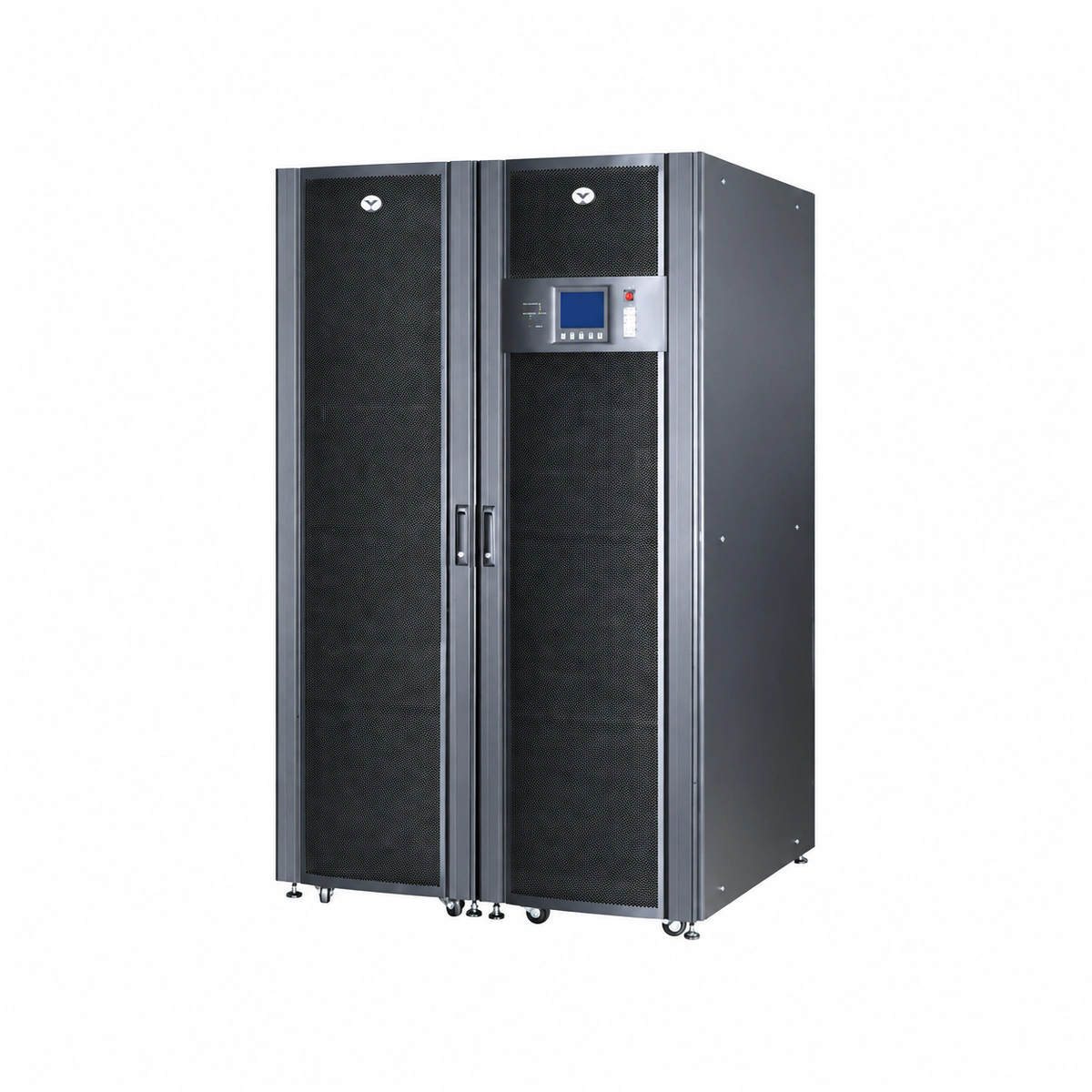
Liebert APM 300kVA Official Product View 2

Information below comes from the current product catalogue. Confirm the controller, software version and configuration of the installed equipment separately.

Apparent Power
300000 VA
Active Power
300000 W
Output Power Factor PF
1.0 (no derating across the full load range)
Topology
Fully modular online double-conversion topology for large data centers (hot-swappable power modules)
AC Input Voltage Range
304 ~ 477 VAC (three-phase four-wire 380/400/415V)
Nominal DC Output Voltage
380/400/415 VAC ± 1%

Alarms & troubleshooting

BCB_OPEN (Battery Circuit Breaker Open)
Alarm LED steady amber, touch panel indicates Battery Trip, buzzer beeps intermittently
External battery breaker not closed; shunt trip coil actuated; auxiliary contact wiring open or loose; battery undervoltage trip
1. Check the physical position of the external Battery Circuit Breaker (BCB); confirm if manually turned OFF or tripped. 2. Measure total battery open-circuit DC voltage using a multimeter to verify it matches nominal float range. 3. Verify secondary wiring continuity between the BCB auxiliary contacts and UPS signal interface (BIB board). 4. If tripped on overcurrent or undervoltage, clear the fault condition and manually reset the breaker.
INV_FAIL_TRANSFER_BYP (Inverter Fault Transfer to Bypass)
Alarm LED steady red, Static Bypass LED steady green, Inverter LED off, continuous buzzer tone
Power module IGBT short-circuit or breakdown; inverter filter capacitor failure; DC bus overvoltage transient; gate driver board fault triggering hardware shutdown
1. Verify the critical load is successfully maintained by static bypass; capture the active event log on the touch panel. 2. Navigate to 'Module Info' to identify the specific power module ID reporting the inverter hardware fault. 3. Loosen module retaining screws and allow internal DC link capacitors to discharge below 36V before extracting. 4. If N+X redundancy is intact, remove faulty module and select 'Inverter ON' on the LCD to restore normal online mode.
BATT_EOD_WARNING (Battery End-of-Discharge Warning)
Alarm LED flashing red, Battery LED steady amber, rapid high-frequency buzzer beeping
Prolonged mains power outage exhausting battery storage; cell voltage approaching cut-off threshold (1.67V–1.75V/cell); severe battery capacity degradation
1. Immediately initiate generator startup or trigger graceful server shutdown procedures across the data center. 2. Inspect upstream input switchgear and verify automatic transfer switch (ATS) generator engagement status. 3. Upon AC utility restoration, confirm UPS rectifiers auto-restart and resume current-limited boost charging. 4. If EOD is premature under nominal backup expectations, perform internal resistance and capacity tests to isolate defective blocks.
RECT_MAINS_ABNORMAL (Rectifier Mains Input Abnormal)
Alarm LED steady amber, Rectifier LED off, Battery discharging LED turned on
Mains utility outage, phase loss, reverse phase sequence, or input AC voltage out of operational tolerance (e.g. below -40% or above +25%)
1. Check if the Liebert APM mains input circuit breaker (Q1) is closed. 2. Measure line-to-line (L-L) and line-to-neutral (L-N) voltages at input terminals to detect true utility phase loss or brownout. 3. Verify clockwise phase sequence (L1-L2-L3) using a phase rotation meter. 4. When AC utility is within nominal range, verify the input voltage threshold configurations on the control display.
MOD_OVERTEMP_FAULT (Power Module Over-Temperature Fault)
Module status LED turns solid red, system alarm LED steady amber, internal cooling fans ramp up to 100% full speed
Cabinet air filters blocked by accumulated dust; ambient room temperature exceeding 40°C; internal DC cooling fan jammed or failed; heatsink NTC temperature sensor defective
1. Check computer room air conditioning (CRAC) operation; confirm ambient room temperature is maintained between 20°C and 25°C. 2. Inspect and vacuum/wash the front door dust filters; remove any obstructions over the top exhaust vents. 3. Query the touch panel temperature monitor to verify whether a single NTC sensor is reporting open/short circuit values. 4. Visually inspect power module fans; if fan rotation is stalled or defective, replace the fan assembly or hot-swap the affected module.

Access Complete Maintenance & Full Alarm Troubleshooting Manual

This page lists high-frequency critical alarm codes commonly encountered in field maintenance. Comprehensive manufacturer troubleshooting matrices, board-level repair guides, detailed electrical schematics, and firmware commissioning manuals are delivered alongside equipment upon formal project procurement, accompanied by dedicated FAE technical support.

Share on-site information

  1. 01

    Identify the exact model

    Record the nameplate, system model and controller or module model.

  2. 02

    Keep the alarm details

    Record the full alarm text, indicator colour, timing and whether it persists.

  3. 03

    Describe recent changes

    Note recent replacements, software updates or configuration changes.

Record information visible in the existing interface. Electrical measurements, disassembly and replacement should follow the applicable manufacturer's manual and be performed by qualified personnel.

Your model and these details will be added to the enquiry form for you to review before sending.

Related technical articles

Browse the technical guides or send a question about this model.

View all articles

Need a replacement module or supporting equipment?

Confirm the full model, system configuration and compatibility requirements before enquiring about suitable products.

Ask about suitable products

Have a model and an on-site issue?

Share the exact model, alarm text and observed symptoms to help identify relevant information and compatibility requirements.

Request technical support