Huawei / SFP optical transceivers

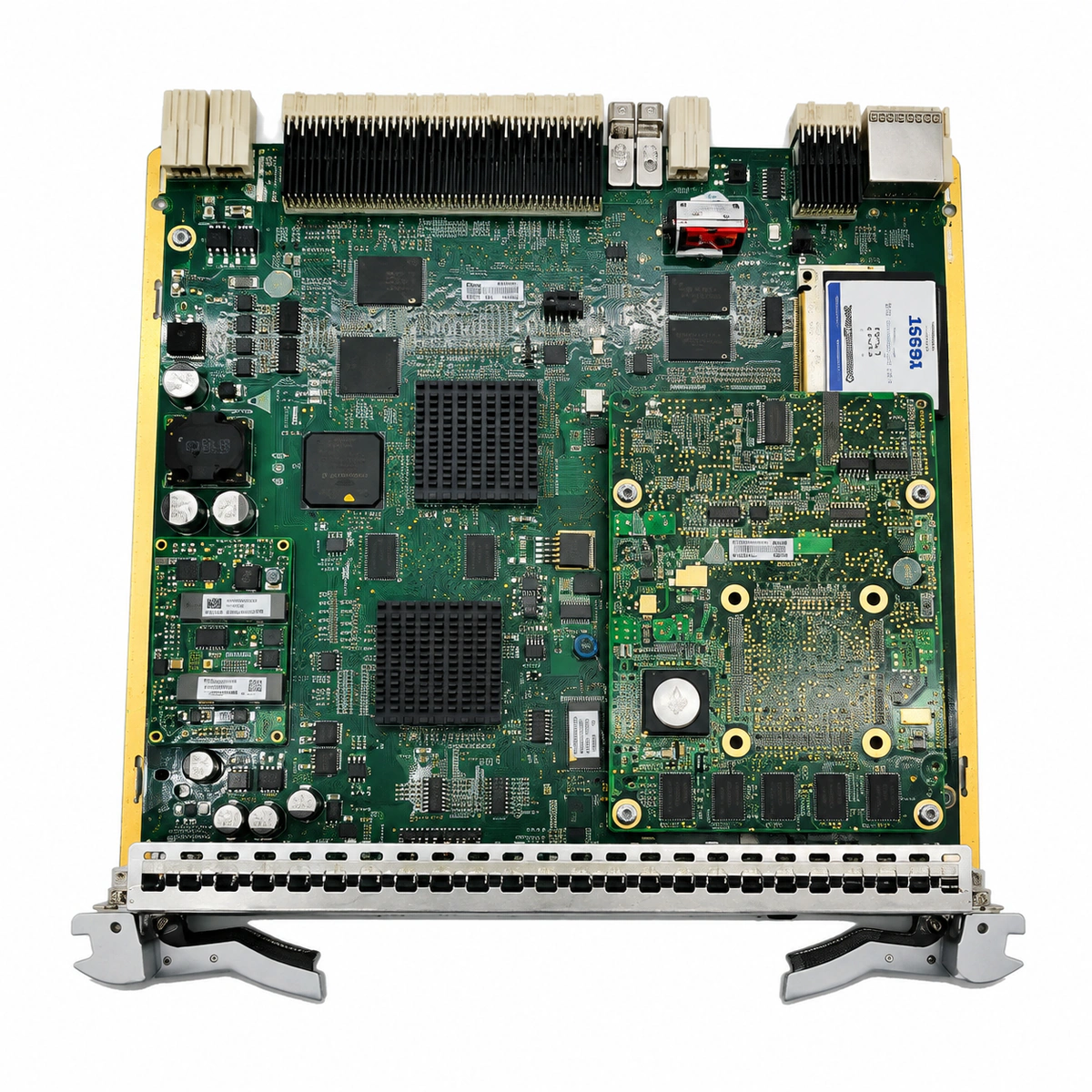
Huawei TN52SCC01 Control Board Equipment information & support

The Huawei TN52SCC01 is the central system controller and communications line card for Huawei OptiX OSN optical transport network platforms, orchestrating network element configuration, alarm processing, DCC telemetry, and centralized NMS management.

Equipment information

Brand
Huawei
Equipment model
Huawei TN52SCC01 Control Board
Equipment type
SFP optical transceivers
Controller / software version
Confirm against the installed equipment
View full product specifications
Huawei TN52SCC01 Control Board Official Product View 4

Information below comes from the current product catalogue. Confirm the controller, software version and configuration of the installed equipment separately.

Board Type
Optical transport network element central system control and communications management board
Port Density & Specs
In-band DCC optical supervisory channel + dual out-of-band Ethernet network management ports
Supported Chassis
Huawei OptiX OSN 1800 / 3800 / 6800 / 8800 series
Subscriber Capacity
Supports automated network-wide topology discovery and online non-disruptive patch upgrades
Typical Power Consumption
< 25 W
Operating Temperature
0°C ~ +45°C

Alarms & troubleshooting

BD_STATUS (Board Hardware Fault)
STAT indicator solid red, SRV indicator off
TN52SCC01 onboard CPU, FPGA, or internal bus communication chip self-test failure, or bent backplane pins causing hardware lockout.
1. Verify standby SCC status and perform SCC switchover; 2. Remove the faulty board and inspect backplane connectors and pins for damage; 3. Reseat the board securely; 4. If the alarm persists, replace the TN52SCC01 board.
DATABASE_DAMAGED (System Database Damaged)
STAT indicator blinking red/green alternately, ALM indicator solid red
Sudden power interruption during configuration writing or bad flash memory sectors causing checksum mismatch and data corruption.
1. Issue database restore command to the SCC via NCE/U2000 NMS; 2. If standby SCC exists, synchronize database from standby to active board; 3. If flash storage media is defective and cannot format, replace the TN52SCC01 board.
COMMUN_FAIL (SCC / NMS Communication Failure)
STAT indicator solid green, ETH/OAMP port LED off, ALM indicator solid amber
Disconnected ETH/OAMP network patch cable, upstream DCN switch negotiation fault, IP address conflict, or internal Ethernet PHY lockup.
1. Inspect the patch cable and upstream DCN switch port link status; 2. Ping the SCC management IP from the local gateway to isolate routing issues; 3. Execute PHY chip reset via CLI or perform a warm reset on the SCC.
SW_MISMATCH (Board Software Package Mismatch)
STAT indicator solid green, PROG indicator fast blinking yellow/green
Replacement TN52SCC01 firmware release is incompatible with the active subrack software version or companion SCC.
1. Query board software versions across the subrack via NMS; 2. Download the target system software package to the TN52SCC01 from the repository; 3. Execute software activation and reboot the board to finalize synchronization.
CLK_NO_TRACE_MODE (System Clock Free-Run / Trace Loss)
STAT indicator solid green, ALM indicator solid amber
External BITS clock source interruption or line optical reference clock degradation exceeding threshold, forcing SCC PLL into free-run mode.
1. Check physical BITS input cables and source equipment status; 2. Verify line-side optical boards for LOS or excessive bit errors; 3. Validate clock synchronization subnet configuration, priority list, and SSM threshold settings in NMS.

Access Complete Maintenance & Full Alarm Troubleshooting Manual

This page lists high-frequency critical alarm codes commonly encountered in field maintenance. Comprehensive manufacturer troubleshooting matrices, board-level repair guides, detailed electrical schematics, and firmware commissioning manuals are delivered alongside equipment upon formal project procurement, accompanied by dedicated FAE technical support.

Share on-site information

  1. 01

    Identify the exact model

    Record the nameplate, system model and controller or module model.

  2. 02

    Keep the alarm details

    Record the full alarm text, indicator colour, timing and whether it persists.

  3. 03

    Describe recent changes

    Note recent replacements, software updates or configuration changes.

Record information visible in the existing interface. Electrical measurements, disassembly and replacement should follow the applicable manufacturer's manual and be performed by qualified personnel.

Your model and these details will be added to the enquiry form for you to review before sending.

Related technical articles

Browse the technical guides or send a question about this model.

View all articles

Need a replacement module or supporting equipment?

Confirm the full model, system configuration and compatibility requirements before enquiring about suitable products.

Ask about suitable products

Have a model and an on-site issue?

Share the exact model, alarm text and observed symptoms to help identify relevant information and compatibility requirements.

Request technical support