Huawei / SFP optical transceivers

Huawei H801EG8E 8-Port GE Board Equipment information & support

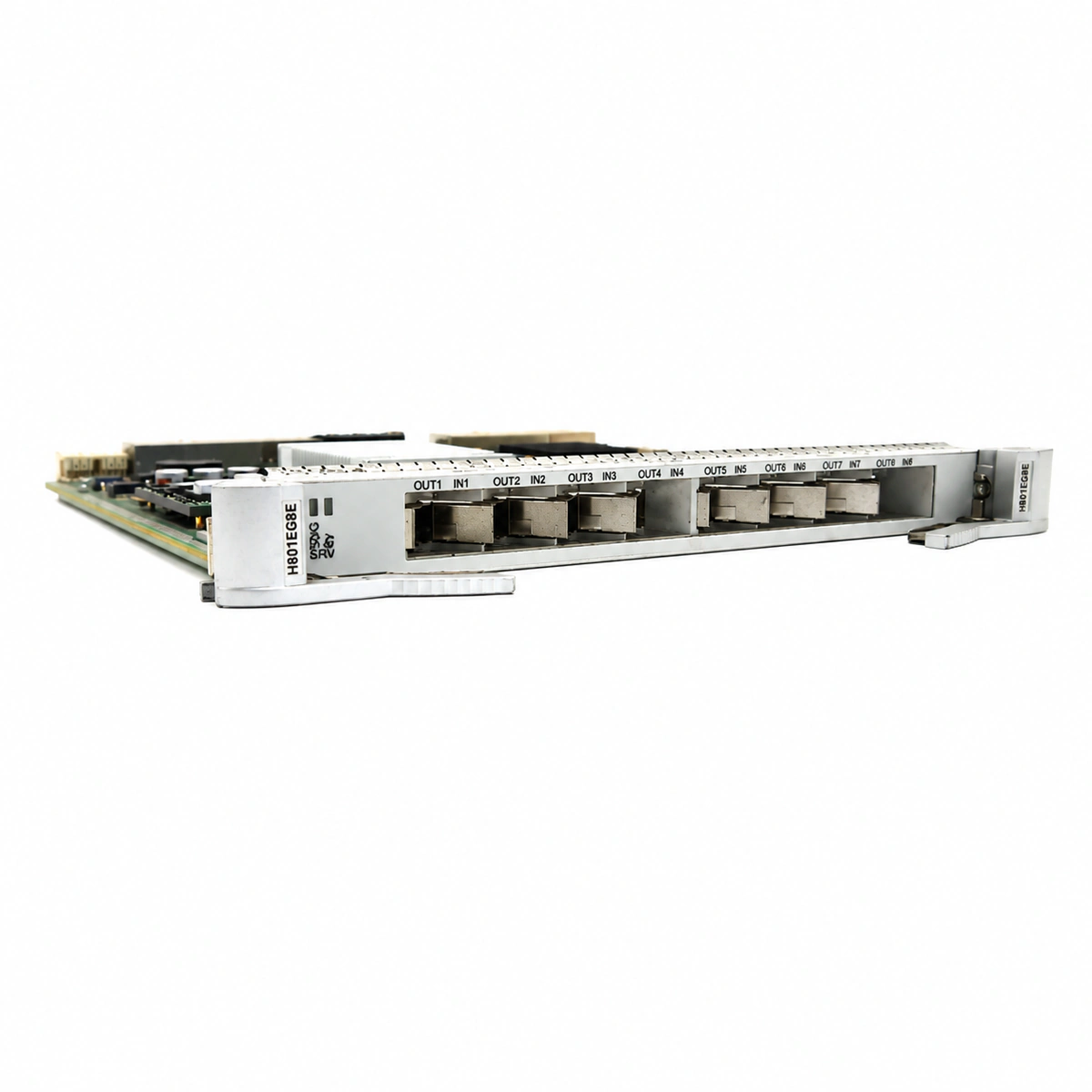
The Huawei H801EG8E is an 8-port Gigabit Ethernet optical interface line card designed for Huawei SmartAX MA5680T, MA5683T, and MA5608T OLT platforms, providing 8 standard SFP optical ports for point-to-point (P2P) dedicated optical access.

Equipment information

Brand
Huawei
Equipment model
Huawei H801EG8E 8-Port GE Board
Equipment type
SFP optical transceivers
Controller / software version
Confirm against the installed equipment
View full product specifications
Huawei H801EG8E 8-Port GE Board Official Product View 5

Information below comes from the current product catalogue. Confirm the controller, software version and configuration of the installed equipment separately.

Board Type
8-port Gigabit Ethernet fiber-optic access board (P2P point-to-point services)
Port Density & Specs
8 standard Gigabit SFP fiber-optic slots
Supported Chassis
Huawei SmartAX MA5680T / MA5683T / MA5608T
Subscriber Capacity
8 fully dedicated Gigabit full-line-rate symmetric fiber-optic channels
Typical Power Consumption
< 28 W
Operating Temperature
-40°C to +65°C

Alarms & troubleshooting

ETH_LOS (Ethernet Optical RX Loss of Signal)
RUN/ALM LED solid red, corresponding port LINK LED off
Fiber break or tight bend radius; dirty/damaged optical connector; remote peer optical transmitter failure; faulty SFP receiver
1. Inspect fiber connection and clean end-faces using an optical cleaning pen. 2. Measure optical RX power with an optical power meter against receiver sensitivity specs. 3. Verify peer TX optical output and patch cord continuity. 4. If peer and link are nominal, hot-swap and replace the local GE SFP transceiver.
OPT_BIAS_HIGH (Laser Bias Current High Degradation)
RUN/ALM LED blinks red or amber slowly (0.5Hz)
Internal laser diode (LD) aging within SFP module; drive circuit component drift; prolonged high-temperature operation causing component degradation
1. Log into OLT CLI and execute display port ddm-information to check bias current and alarm thresholds. 2. Inspect subrack airflow and slot operating temperature. 3. During a maintenance window, hot-swap the degraded SFP transceiver with an authentic Huawei spare. 4. Re-run DDM query to confirm bias current returns to normal baseline.
OPT_TEMP_HIGH (SFP Operating Temperature High)
RUN/ALM LED solid yellow/amber or blinking amber
OLT chassis fan tray failure or reduced RPM; equipment room ambient exceeds specs (>55°C); clogged dust filter restricting airflow; defective SFP internal thermistor/high power draw
1. Check chassis fan tray status (display fan) and verify normal fan speeds. 2. Clean dust filters at subrack air intake vents. 3. Verify equipment room HVAC/air conditioning operates within 20°C-25°C range. 4. If a single SFP port reports over-temperature while others are normal, replace that specific SFP transceiver.
ETH_CRC_OVER (Ethernet Port CRC Errors Exceeded)
Port LINK LED solid green, ACT data LED flashing yellow rapidly
RX optical power hovering near sensitivity limit; contaminated optical ferrule or micro-fracture; oxidation on SFP gold-finger contacts; duplex mismatch or faulty shielding on copper SFP
1. Run display port statistics to monitor incoming CRC error increments. 2. Clean optical connectors and ensure at least 3dB margin above RX receiver sensitivity. 3. Unseat SFP transceiver, check PCB contacts for oxidation, and re-seat firmly. 4. If using copper SFP modules, inspect patch cable and match duplex/speed negotiations on both peers. 5. Replace the patch cord and SFP transceiver to eliminate error growth.
BD_STATUS_FAIL (Board Hardware Fault / Comm Loss)
RUN/ALM LED solid red, all port LEDs off
Backplane connector bent pins or poor contact; onboard DC-DC power converter failure; control bus communication failure with active control board; FPGA/PHY ASIC self-test failure
1. Run display board command on OLT to check if H801EG8E status is 'Failed' or 'Offline'. 2. Eject the H801EG8E board, carefully inspect backplane connector pins for bends, and clear any debris. 3. Re-align with card guide rails, push firmly into the slot, and tighten ejector screws. 4. If the alarm persists with a solid red LED, test the board in an alternate known-good slot. 5. If the fault follows the board, declare H801EG8E hardware failure and replace with a spare unit.

Access Complete Maintenance & Full Alarm Troubleshooting Manual

This page lists high-frequency critical alarm codes commonly encountered in field maintenance. Comprehensive manufacturer troubleshooting matrices, board-level repair guides, detailed electrical schematics, and firmware commissioning manuals are delivered alongside equipment upon formal project procurement, accompanied by dedicated FAE technical support.

Share on-site information

  1. 01

    Identify the exact model

    Record the nameplate, system model and controller or module model.

  2. 02

    Keep the alarm details

    Record the full alarm text, indicator colour, timing and whether it persists.

  3. 03

    Describe recent changes

    Note recent replacements, software updates or configuration changes.

Record information visible in the existing interface. Electrical measurements, disassembly and replacement should follow the applicable manufacturer's manual and be performed by qualified personnel.

Your model and these details will be added to the enquiry form for you to review before sending.

Related technical articles

Browse the technical guides or send a question about this model.

View all articles

Need a replacement module or supporting equipment?

Confirm the full model, system configuration and compatibility requirements before enquiring about suitable products.

Ask about suitable products

Have a model and an on-site issue?

Share the exact model, alarm text and observed symptoms to help identify relevant information and compatibility requirements.

Request technical support