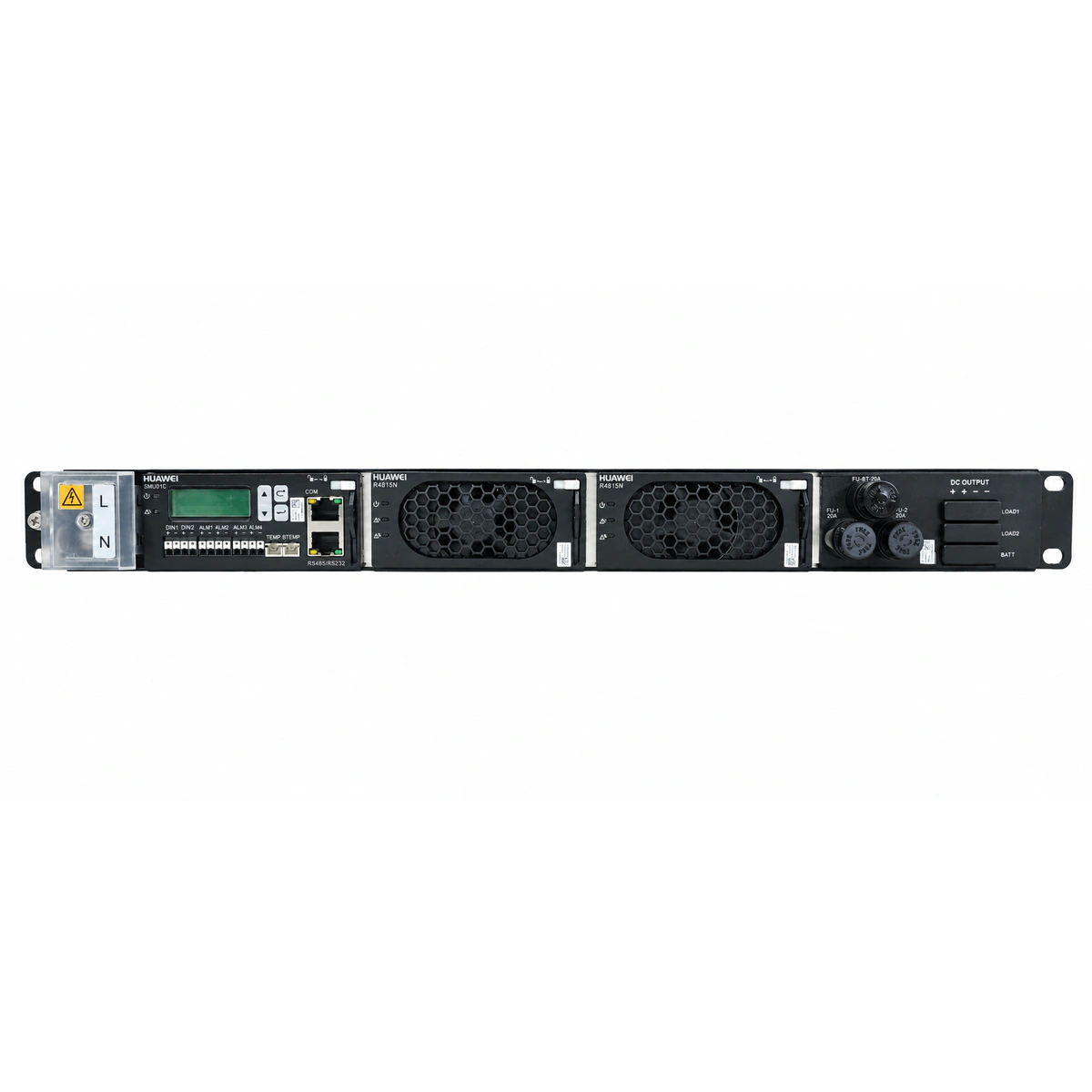
AC_FAIL (AC Mains Failure / Abnormal)
SMU controller: ALM LED solid red; Rectifier module: Power LED off, Fault LED solid red.
Mains grid blackout, upstream AC circuit breaker tripped, or AC input voltage dropped below 85V AC.
1. Measure AC phase-to-neutral voltage at the ETP4830 AC input terminals using a true-RMS multimeter.
2. Verify upstream AC distribution breaker status and ensure grid power is restored.
3. Inspect the rear AC input terminal block for loose wiring, improper torque, or thermal damage.
DC_LOW_VOLT (DC Bus Under-Voltage & LLVD)
SMU controller: ALM LED solid red; LLVD contactor released/open.
Prolonged AC outage causing deep battery discharge below the DC undervoltage threshold (default -45V DC) or LLVD cutoff threshold (-43.2V DC).
1. Verify AC power recovery status; connect a portable emergency generator if mains is unavailable.
2. Query the SMU LCD/WebUI to inspect battery terminal voltage and total output load current.
3. Once AC input is restored, confirm rectifiers restart, execute battery equalized charging, and ensure the LLVD contactor automatically reconnects.
REC_HVSD (Rectifier Output Overvoltage Hardware Shutdown)
Faulty rectifier module: Power LED off, Alarm LED off, Fault LED solid red.
Internal rectifier feedback control loop failure or voltage sampling fault causing DC output to exceed the 59.5V DC hardware shutdown threshold.
1. Remove the faulted rectifier module from the subrack, wait 30 seconds to discharge internal caps, then re-insert to clear the lockout latch.
2. If the red Fault LED illuminates immediately upon insertion, the internal power stage is damaged.
3. Hot-swap the damaged unit with an identical spare (e.g., R4815N1/R4815G1) and verify current-sharing balance via SMU.
REC_OVER_TEMP (Rectifier Over-Temperature Derating / Thermal Shutdown)
Rectifier module: Alarm LED (yellow) solid on or blinking; turns solid red and shuts down if critical threshold is reached.
Ambient operating temperature exceeds 65°C, front/rear air vents of the ETP4830 subrack are clogged with dust, or the internal cooling fan failed.
1. Inspect site air conditioning and cabinet ventilation to ensure intake air temperature is within operating limits (-40°C to +65°C).
2. Clean front air inlet grilles and rear exhaust areas of the ETP4830 subrack to remove accumulated dust.
3. Check fan rotation; if the internal brushless fan is seized or not spinning under thermal load, hot-swap the rectifier module.
CAN_COMM_FAIL (SMU to Rectifier CAN Bus Communication Failure)
SMU controller: ALM LED steady or blinking yellow; Rectifier module: Run LED (green) flashes slowly at 1 Hz.
Poor edge-connector seating on backplane, bent backplane CAN-bus pins, SMU controller communication lockup, or unlatched module.
1. Release the rectifier latch handle, withdraw the module, inspect backplane connector pins for bends or oxidation, re-seat firmly, and lock the latch.
2. Perform a software reboot on the SMU via keypad/LCD, or reseat the SMU controller module for a hardware reboot.
3. Swap the affected rectifier into an adjacent empty slot; if the alarm follows the module, replace the rectifier. If the slot remains unresponsive, inspect/replace the SMU or backplane.