Huawei / SFP optical transceivers

Huawei 40G CFP 10km Equipment information & support

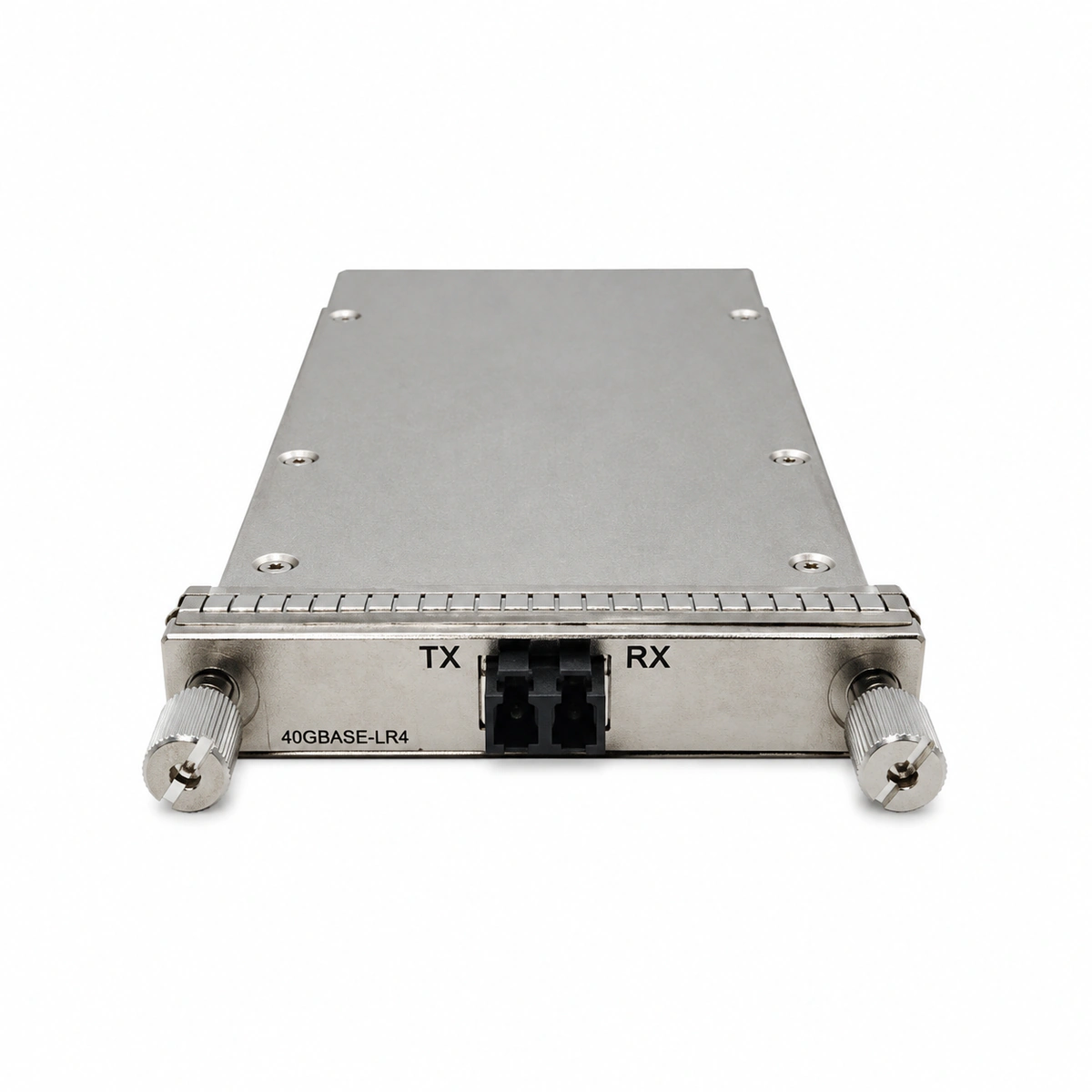
The Huawei 40G CFP 1310nm 10km (40GBASE-LR4) is a carrier-class optical transceiver engineered for high-capacity 40G core routing and OTN transport networks up to 10km over single-mode fiber with duplex LC connectors.

Equipment information

Brand
Huawei
Equipment model
Huawei 40G CFP 10km
Equipment type
SFP optical transceivers
Controller / software version
Confirm against the installed equipment
View full product specifications
Huawei 40G CFP 10km Official Product View 1

Information below comes from the current product catalogue. Confirm the controller, software version and configuration of the installed equipment separately.

Physical Form Factor
CFP (40GBASE-LR4)
Data Rate
41.25 Gbps
Central Wavelength
1310 (4x10G LAN-WDM) nm
Maximum Distance
10 km
Fiber Type
Single-Mode Fiber (SMF) (SMF)
Optical Connector
Duplex LC Connector

Alarms & troubleshooting

RX_LOS (Optical Receiver Loss of Signal)
Port LINK/ACT LED off, chassis ALM LED solid red
Remote transmitter disabled, fiber cut/disconnected, contaminated LC connector end-face, or RX optical power below receiver sensitivity limit (<-13.7 dBm).
1. Run 'display transceiver verbose' to inspect per-lane RX optical power levels. 2. Clean LC optical patch cord connectors using dedicated optical lint-free cleaning tools. 3. Measure incoming optical power with an optical power meter to isolate patch cord or ODF/cable faults.
LASER_BIAS_HIGH (Laser Bias Current High Alarm)
Port LINK LED solid amber, chassis ALM LED amber
Degradation and aging of internal LAN-WDM laser diodes, or automatic power control (APC) circuit compensation reaching its design limit.
1. Run 'display transceiver verbose' to compare TX Bias current values against the high alarm threshold. 2. Verify the operating temperature of the module to rule out thermal runaway. 3. Schedule a maintenance window to switch traffic and proactively replace the deteriorating 40G CFP module before complete transmitter failure.
TEMP_ALM (Transceiver Over-Temperature Alarm)
Chassis ALM LED flashes amber at 0.5Hz, fan tray runs at full speed (high acoustic noise)
Data center ambient temperature exceeding standard, clogged chassis air filters, fan tray failure, or poor thermal dissipation of the high-power CFP module (internal temperature > 70°C threshold).
1. Check equipment room HVAC cooling status to ensure inlet air temperature is below 27°C. 2. Inspect and clean chassis dust filters; run 'display fan' to confirm fan tray operational status. 3. If adjacent modules show normal temperatures, re-seat the CFP module to ensure proper contact with the chassis heatsink; replace the module if the issue persists.
CRC_ERR_OVER (Interface CRC Error Rate High)
Port LINK LED flashes green rapidly, intermittent packet drop and protocol flapping
High fiber dispersion, optical RX power near critical sensitivity threshold, multi-lane 4x10G lane skew desynchronization, or scratched/deformed LC connector end-face.
1. Run 'display interface <interface-id>' to confirm continuous growth of InErrors and CRC counters. 2. Test the optical link with an OTDR to check for excessive insertion loss or reflection points. 3. Replace patch cords with certified low-loss single-mode jumpers; if errors persist, swap the CFP module to eliminate internal DEMUX/CDR failure.
CFP_FAULT (Transceiver Internal Hardware Failure / TX Fault)
CFP module Fault LED solid red, port LINK LED completely off
CFP internal MDIO management bus communication failure, internal 3.3V power regulator breakdown, or laser driver protection lockout causing optical TX shutdown.
1. Collect 'display transceiver' and 'display logbuffer' outputs to verify if 'I2C/MDIO Read Failed' alarms exist. 2. Loosen the CFP mounting screws, remove the transceiver, inspect edge connector pins for damage, and firmly re-seat and lock screws. 3. Execute 'shutdown' followed by 'undo shutdown' on the interface to reset the laser; if the hardware fault persists, replace the CFP module.

Access Complete Maintenance & Full Alarm Troubleshooting Manual

This page lists high-frequency critical alarm codes commonly encountered in field maintenance. Comprehensive manufacturer troubleshooting matrices, board-level repair guides, detailed electrical schematics, and firmware commissioning manuals are delivered alongside equipment upon formal project procurement, accompanied by dedicated FAE technical support.

Share on-site information

  1. 01

    Identify the exact model

    Record the nameplate, system model and controller or module model.

  2. 02

    Keep the alarm details

    Record the full alarm text, indicator colour, timing and whether it persists.

  3. 03

    Describe recent changes

    Note recent replacements, software updates or configuration changes.

Record information visible in the existing interface. Electrical measurements, disassembly and replacement should follow the applicable manufacturer's manual and be performed by qualified personnel.

Your model and these details will be added to the enquiry form for you to review before sending.

Related technical articles

Browse the technical guides or send a question about this model.

View all articles

Need a replacement module or supporting equipment?

Confirm the full model, system configuration and compatibility requirements before enquiring about suitable products.

Ask about suitable products

Have a model and an on-site issue?

Share the exact model, alarm text and observed symptoms to help identify relevant information and compatibility requirements.

Request technical support