HEFENGQI / Cabinet air conditioning

Envicool CyberMate DC300W Cabinet Air Conditioner Equipment information & support

The Envicool CyberMate DC300W is a high-reliability -48V DC compact precision cooling air conditioner designed for outdoor telecom enclosures. Featuring a closed vapor-compression cycle with dual-loop physical isolation, it delivers 300W of active heat dissipation without introducing outdoor dust or humidity into sensitive electronic compartments.

Equipment information

Brand
HEFENGQI
Equipment model
Envicool CyberMate DC300W Cabinet Air Conditioner
Equipment type
Cabinet air conditioning
Controller / software version
Confirm against the installed equipment
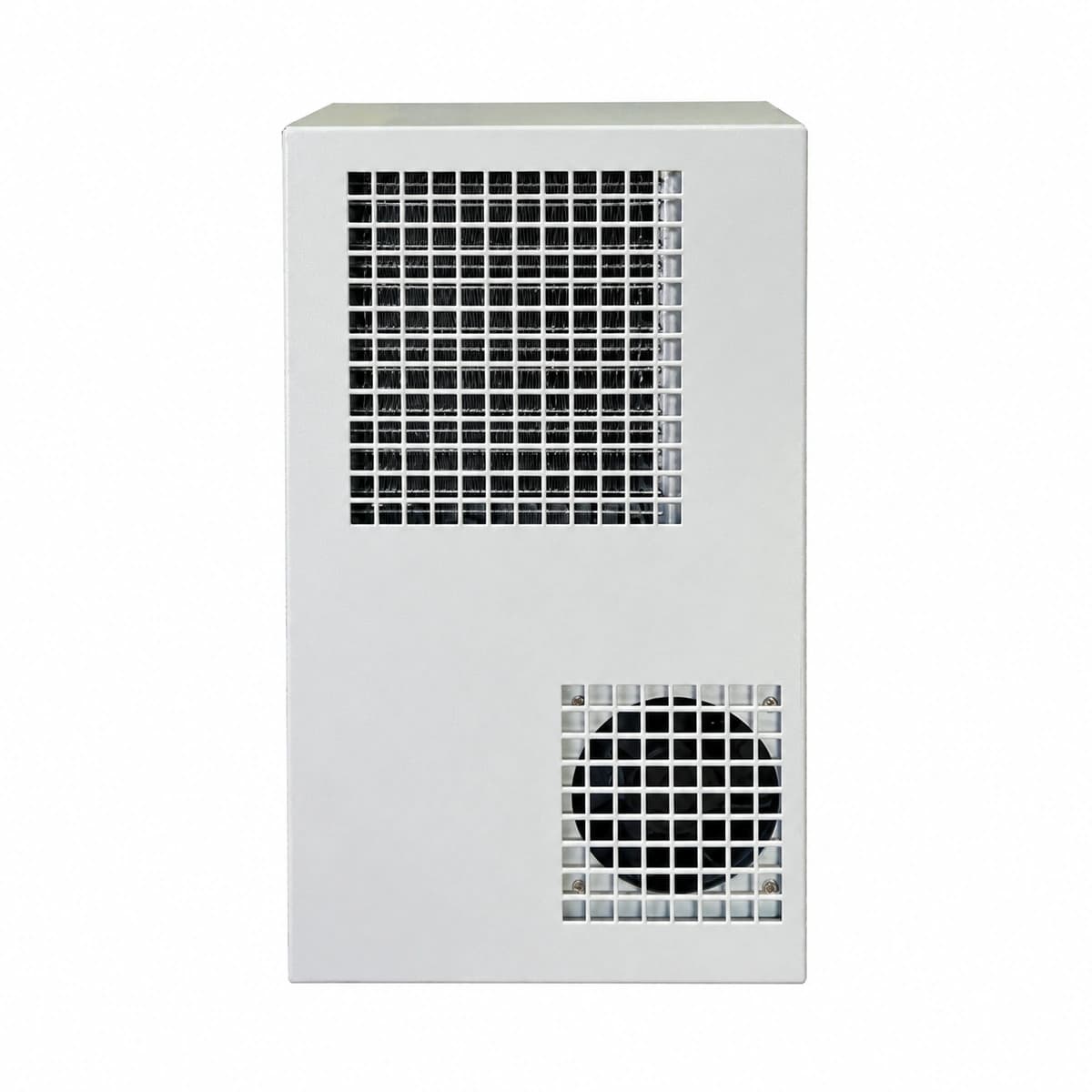
View full product specifications
Envicool CyberMate DC300W -48V DC 300W Compact Outdoor Telecom Cabinet Air Conditioner (450×280×160mm IP55)

Information below comes from the current product catalogue. Confirm the controller, software version and configuration of the installed equipment separately.

Rated Cooling Capacity
300W ultra-compact external-mount industrial cabinet cooling capacity
DC Operating Voltage
-48V DC wide-range direct-drive DC power supply
Protection Rating
IP55 industrial-grade hermetic isolation protection between internal and external loops
Refrigerant Type
R134a eco-friendly CFC-free high-efficiency refrigerant
Controller System
Microcomputer intelligent temperature controller (supports over-temperature dry contact alarm)
Mounting Style
Door-mounted / side-mounted lightweight compact design (anti-corrosion aluminum alloy casing)

Alarms & troubleshooting

AL01_HIGH_TEMP (Cabinet High Temperature Alarm)
ALM LED solid red, RUN LED flashing green
Cabinet heat dissipation exceeds 300W rated capacity; internal evaporator airflow obstructed by dust; compressor stopped or refrigerant leakage causing loss of cooling.
1. Verify telecom equipment total heat load is within 300W cooling envelope; 2. Clean internal air return filter and evaporator fins to restore proper airflow; 3. Measure compressor suction/discharge pipe differential temperature; if running with zero delta-T, inspect piping for refrigerant leaks and recharge.
AL02_EXT_FAN_FAIL (External Condenser Fan Failure)
ALM LED flashing red at 1Hz
External condenser fan impeller blocked by foreign debris; DC brushless fan power cable disconnected or loose pin contact; tachometer Hall feedback signal lost or motor coil burned out.
1. Disconnect DC power and manually spin fan blades to clear foreign objects and debris; 2. Inspect wiring harness from controller to fan connector, ensuring DC48V supply and PWM/tach lines are firmly seated; 3. Measure terminal voltage; if DC power is nominal but fan fails to rotate or return tach signal, replace the DC fan assembly.
AL03_COMP_FAULT (Compressor Inverter Drive / Overcurrent Lockout)
ALM LED solid red, COMP status indicator off
DC inverter compressor startup overload or mechanical rotor lockup; extreme ambient temperature causing excessive discharge head pressure; IPM inverter module short circuit or motor phase insulation breakdown.
1. Check input DC voltage stability, power cycle the unit to clear transient IPM soft-lockup; 2. Disconnect compressor 3-phase U/V/W terminals, measure phase-to-phase resistance balance and insulation to ground (>10MΩ); 3. Inspect condenser coil for severe fouling driving up discharge pressure; clean coil thoroughly. Replace compressor if windings are unbalanced or grounded.
AL04_DC_VOLT_ERR (DC Input Voltage Abnormal / Undervoltage)
PWR LED solid amber, ALM LED solid red
Site DC power bus voltage out of 42V–58V operating range; station battery bank deep discharge condition; undersized DC cabling or loose terminal connection causing severe voltage drop under load.
1. Measure real-time loaded DC terminal voltage with a multimeter (acceptable range: 42VDC to 58VDC); 2. Check site rectifier system health and battery state-of-charge; verify if mains outage triggered battery undervoltage protection; 3. Torque input terminal screws to specification and verify conductor sizing; upgrade cable gauge if loop voltage drop exceeds limits.
AL05_TEMP_SENS_ERR (Internal Temperature Sensor Fault)
ALM LED flashing amber at 0.5Hz, RUN LED solid green
Return air NTC thermistor probe open-circuit, broken lead wire, or pin displacement; sensor resistance drift out of characteristic curve; corroded socket causing signal out-of-range, forcing fail-safe operation.
1. Inspect temperature sensor header on controller board, deoxidize pins, and reseat connection firmly; 2. Unplug sensor and measure resistance with a multimeter, comparing against standard NTC chart (e.g., nominal resistance at 25°C) to identify open/short circuit; 3. If resistance is out of tolerance or leads are damaged, replace with a matched OEM NTC temperature probe harness.

Access Complete Maintenance & Full Alarm Troubleshooting Manual

This page lists high-frequency critical alarm codes commonly encountered in field maintenance. Comprehensive manufacturer troubleshooting matrices, board-level repair guides, detailed electrical schematics, and firmware commissioning manuals are delivered alongside equipment upon formal project procurement, accompanied by dedicated FAE technical support.

Share on-site information

  1. 01

    Identify the exact model

    Record the nameplate, system model and controller or module model.

  2. 02

    Keep the alarm details

    Record the full alarm text, indicator colour, timing and whether it persists.

  3. 03

    Describe recent changes

    Note recent replacements, software updates or configuration changes.

Record information visible in the existing interface. Electrical measurements, disassembly and replacement should follow the applicable manufacturer's manual and be performed by qualified personnel.

Your model and these details will be added to the enquiry form for you to review before sending.

Related technical articles

Browse the technical guides or send a question about this model.

View all articles

Need a replacement module or supporting equipment?

Confirm the full model, system configuration and compatibility requirements before enquiring about suitable products.

Ask about suitable products

Have a model and an on-site issue?

Share the exact model, alarm text and observed symptoms to help identify relevant information and compatibility requirements.

Request technical support